Copilot Agents vs Power Automate: What’s the Difference?
Learn which automation tool is the right one for the job.
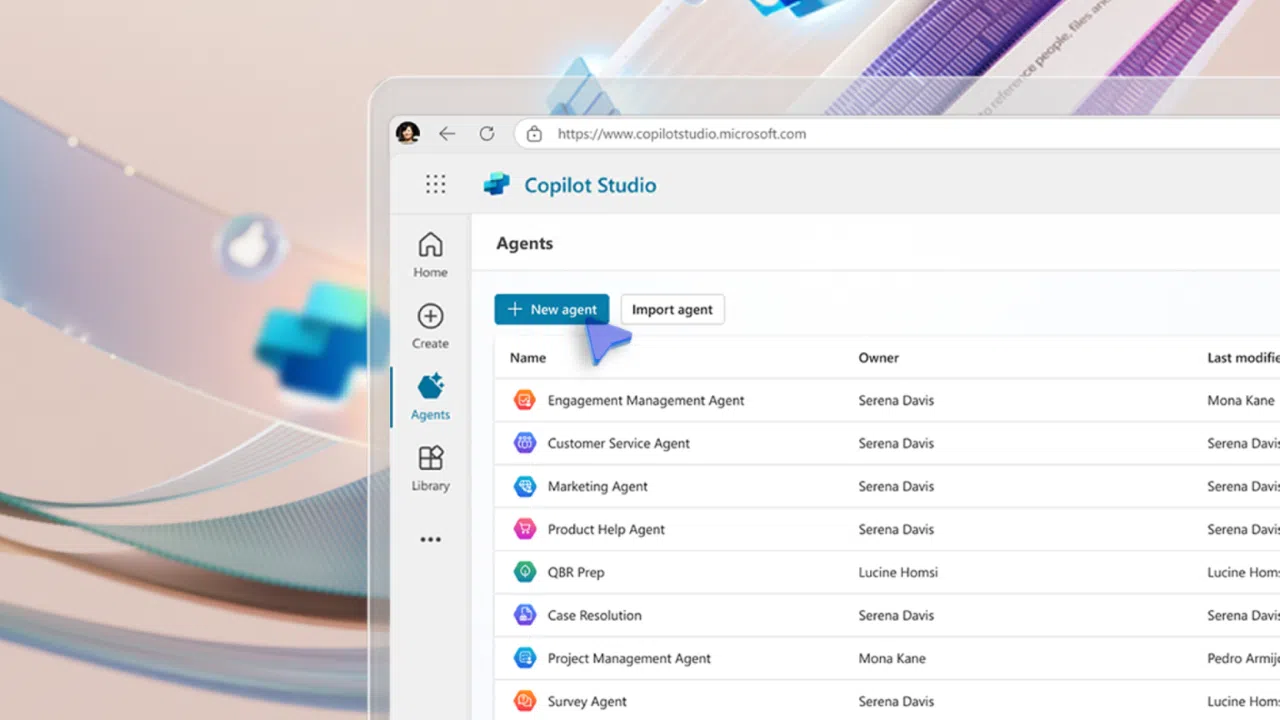
Organizations often use Microsoft Power Automate to cut down on repetitive tasks, reduce errors, and save time for more important work. But now, Copilot agents are stepping in with their own way of handling automation. Both are useful, but they work best in different areas.
Copilot agents vs Power Automate
Power Automate: The reliable, behind-the-scenes colleague who follows rules to the letter and never forgets a deadline.
Copilot agent: The dynamic teammate who talks with you, understands context, and adapts when things change.

What is workflow automation?
Workflow automation is basically setting up business processes to run automatically based on a set of rules. Instead of spending time on boring, manual tasks, automation does the heavy lifting; keeping things efficient, consistent, and error-free.
Done right, automation helps cut costs, improves services, and makes data more reliable.
From rules to AI-powered automation
Automation has come a long way. It used to be all about strict, rule-based systems. Now, with AI, tools like Copilot agents can understand natural language, make smarter decisions, and even take initiative, way beyond just running a script.
What is Power Automate?
Power Automate, part of the Microsoft Power Platform, helps people set up workflows that connect apps and services. Think file syncs, automatic alerts, collecting data, and more.
Core purpose
Power Automate is great at taking repetitive, manual tasks and setting them on autopilot. It works like a bridge, connecting different apps to run pre-planned sequences whenever a trigger (like an email or file upload) happens. But everything has to be explicitly defined step by step.
Key features of Power Automate:

Here are some typical use cases for Power Automate flows:
Now that you know what Power Automate can do, let’s look at some potential use cases:
- Routing approvals for documents.
- Moving data between CRM and Excel.
- Sending alerts for new database entries.
- Automatically creating reports.
- Handling onboarding tasks like setting up accounts.
What are Copilot agents and agent flows?
Copilot agents add AI to the automation mix, making automation more conversational and context-aware. An agent flow is a predetermined and structured sequence of actions that AI agents can run when needed. They can be created and customized using Microsoft Copilot Studio.
Core purpose
Instead of just following steps, Copilot agents can understand natural language, figure out what you actually want, and dynamically choose the right tools or actions. They can follow pre-defined agent flows or adapt based on context.
Key features of Copilot agents:
- Natural language processing (NLP): Understands plain-language requests.
- Generative AI: Creates responses, drafts content, or summarizes info.
- Tool orchestration: Picks and runs the right tools (including Power Automate) for the job.
- Contextual memory: Remembers the conversation and keeps things flowing naturally.
- Proactive engagement: Suggests actions or starts tasks when it makes sense.
- Agent flows: Pre-defined “skills” the agent can use to get things done.

How agent flows work
Agent flows aren’t standalone like Power Automate. Instead, they’re tools inside the Copilot framework. When you make a request, the agent decides if an agent flow is the right tool, then runs it—possibly even passing live info from your conversation. Sometimes, an agent flow may even trigger a Power Automate flow to handle backend work.
Typical use cases for Copilot agents:
- Smarter customer support with ticket creation and troubleshooting.
- Personalized help like scheduling meetings or drafting emails.
- Proactive project help, like prepping docs.
- Summarizing or analyzing big datasets.
- Running complex, multi-step processes across multiple systems.
Copilot agents vs. Power Automate: The big differences
Now let’s compare the two solutions.
| Category | Power Automate | Copilot Agents |
| Interaction | Triggered by events or schedules. Runs quietly in the background. | Conversational and intent-driven. Interactive and iterative. |
| Integration | Connects apps you configure. Limited to defined workflow data. | Dynamically connects tools, adapts, and understands context. |
| User Experience | Built with low-code designer. End users mainly see results. | Users chat/talk directly. Developers define agent understanding and tools. |
| Complexity | Ranges from simple to complex, but always step-based. | Requires setup of language understanding and conversations. |
| Scalability & Governance | Scales well for repetitive processes. Governance around flows, policies, security. | Handles many conversations at once. Governance around access, logs, and ethical AI use. |
| Best Fit | Structured, predictable, rule-based tasks. | Conversational, flexible, context-heavy tasks. |
When to pick which solution? Copilot agents vs Power Automate

Can Copilot agents and Power Automate work together?
A Copilot agent can use Power Automate as one of its tools. For example, if a user asks for a sales report, the agent could handle the request and trigger a Power Automate flow to gather data, create the report, and send it over.
Wrapping up: Making the right choice
The best tool depends on the job. Power Automate is your go-to for structured, predictable workflows. Copilot Agents add an intelligent, conversational layer on top, understanding intent, adapting, and orchestrating tools.
Key takeaways:
- Check your process: Is it structured (Power Automate) or dynamic (Copilot)?
- Decide on interaction: Do you need background automation or conversational help?
- Think complexity: How much intelligence is required?
- Mix and match: Use both together for maximum impact.
- Set governance: Keep clear rules for both to ensure security and compliance.
By knowing when to use each, or both, you’ll unlock more efficiency, better user experiences, and smarter automation across Microsoft 365.

Russell Smith, the Editorial Director at Petri IT Knowledgebase, has over two decades of hands-on experience in IT, in both small business settings and government IT infrastructure projects. Russell started writing for Windows IT Pro Magazine in t...


