Windows Becomes an OS for AI Agents: What That Means for Your Microsoft 365 Tenant
Organizations that embrace AI agents with strong governance will move faster and safely.
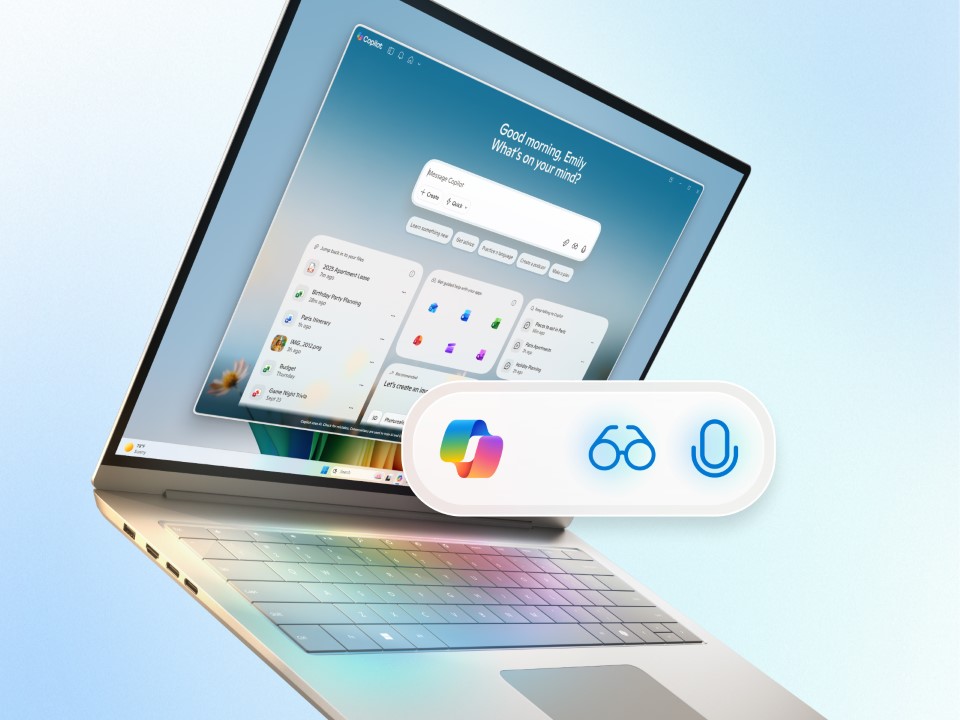
Windows has been quietly accumulating the plumbing needed to support something beyond traditional applications: a world where autonomous, policy‑governed AI agents perform meaningful work on behalf of users. We’re now hitting the inflection point.
| Shift | What It Means | Why It Matters for IT |
|---|---|---|
| Windows evolves into an agent OS | Agents run continuously, not just when launched | You must govern automation, not interactive usage |
| Identity becomes the control plane | Agents act on behalf of users & workloads | Misconfiguration scales instantly and multiplies risk |
| Browser becomes privileged workspace | Extensions, SaaS apps, and agent integrations converge | Browser becomes a high‑risk operational endpoint |
| Data boundaries matter more | Agents read, process, and generate autonomously | Accidental exposure is the top failure mode |
| SOC sees new telemetry patterns | Non‑human behavior baselines emerge | Analysts must detect and respond to agent‑driven activity |
Microsoft’s long‑term direction for Windows is becoming clear. The operating system is evolving into a secure execution environment for agents that can read, summarize, act, and automate without constant human prompting.
The question isn’t whether these agents will arrive. They already have. The real question for IT leaders is whether your tenant is ready for them.
In this article, I’ll break down what an “OS for AI agents” really means, why identity becomes the central control plane, and how to prepare Microsoft 365, Entra ID, and Windows devices for what’s coming next.
Agents change the trust model, not the tools
The traditional IT worldview assumes apps are inert until a user interacts with them. AI agents flip that model. They operate continuously, no longer bound to “launch and close.” They may access multiple services at once, chain APIs together, generate content, or perform monitoring tasks automatically.
On paper, that sounds like a security nightmare. But Microsoft is designing agent frameworks differently: isolated sandboxes, explicit permission scopes, audit trails, and integrations with Windows’ secure kernel. The ambition is to move automation into a first‑class, governable subsystem rather than letting AI proliferate through random browser plugins and unmonitored SaaS tools.
Think of it this way: we’re heading toward a world where automation is no longer an optional add‑on but a built‑in OS feature.
Identity becomes the new control plane
When automation becomes pervasive, least‑privilege identity design becomes non‑negotiable. Today, too many organizations treat Entra ID like a directory service with MFA attached. But for agentic systems, Entra ID’s policies, like Conditional Access, token lifetimes, workload identities, risk‑based sign‑in, and app consent governance, become the primary security mechanism.
If an agent can act on a user’s behalf, then the guardrails around that identity must be sharper than ever. That means:
- No more legacy‑lax admin roles. Use Privileged Identity Management with time‑bound elevation.
- No unlimited app consent. Every agent is an “application,” so consent sprawl must be treated as a genuine attack surface.
- Workload identities become tier‑0 assets. Machine accounts now hold operational power.
Identity misconfiguration has always been risky. With agents in the mix, it becomes harder to manage.
Data boundaries matter more than capability
Most AI‑driven misbehavior will not be malicious. It will be accidental. A well‑meaning agent over‑reading sensitive material or acting on outdated data. That’s why data governance matters.
Before deploying agent‑based workflows at scale, you need:
- Sensitivity labels applied consistently, especially on SharePoint and OneDrive.
- Conditional Access App Controls to restrict session behaviors (downloads, copies, untrusted networks).
- Clear separation of training data versus operational data.
AI is only as safe as the structure of the data it’s allowed to see.
The browser becomes the new front door
The browser is becoming the primary workspace. That creates a challenge, because browsers are notoriously permissive. AI‑assisted extensions, agent pipelines, and SaaS integrations multiply fast.
Your security model must assume the browser is a privileged application. That means:
- Defender for Endpoint browser isolation policies.
- Strict extension whitelisting.
- Separation between corporate and personal browsing.
- Monitoring for data movement between tabs and applications.
If you don’t govern the browser now, agents will simply route around your controls later.
What happens when your automation is allowed to act faster than your SOC can see?
Security operations teams will need new playbooks. Agents generate different telemetry than humans:
- sequences of rapid actions
- multi‑API chains
- higher‑frequency reads of sensitive sources
- automated content generation
SOC analysts must learn to distinguish “normal” autonomous behavior from compromised or misconfigured activity. And automation will eventually respond to automation. Meaning safe, reversible automated remediation must become part of the standard SOC workflow.
How to prepare your tenant now
Here’s the short list of what organizations should do before agent adoption accelerates:
- Modernize Conditional Access
Build baselines for sign‑in risk, session control, compliant devices, and workload identities. - Review and prune app consent
Anything with broad Graph permissions must be justified or removed. - Harden the browser
Treat it like a privileged endpoint, not a productivity convenience. - Classify data aggressively
No classification means no safety. - Pilot agents in a contained workspace
Use non‑production datasets with heavy logging enabled.
This isn’t about hype. It’s about readiness. The organizations that embrace AI agents with strong governance will move faster and safely.
| Level | Description | Key Actions |
|---|---|---|
| Level 1: Baseline Hardening | Establish foundational identity, browser, and access controls. | • Modernize Conditional Access (risk, device compliance, session controls) • Remove or justify broad Graph permissions • Apply fundamental browser isolation |
| Level 2: Governed Automation | Implement stronger governance as automation becomes pervasive. | • Enforce labeling across all content • Whitelist browser extensions • Implement full lifecycle governance for workload identities |
| Level 3: Agent‑Accredited Tenant | Achieve a fully governed environment ready for autonomous agents. | • Dedicated agent sandboxes (isolated environments) • SOC automation loops with reversible actions • Clear separation of training vs operational data |
Those that don’t will pay the price by cleaning up preventable incidents.

Russell Smith, the Editorial Director at Petri IT Knowledgebase, has over two decades of hands-on experience in IT, in both small business settings and government IT infrastructure projects. Russell started writing for Windows IT Pro Magazine in t...




