Microsoft Entra ID Gets AI-Powered Tool to Streamline Access Decisions
AI-powered agent in Microsoft Entra ID streamlines access reviews within Teams.

Key Takeaways:
- Microsoft introduces a new AI-powered Access Review Agent in Entra ID.
- The tool streamlines access reviews directly in Microsoft Teams.
- It aims to reduce manual effort and improve decision accuracy.
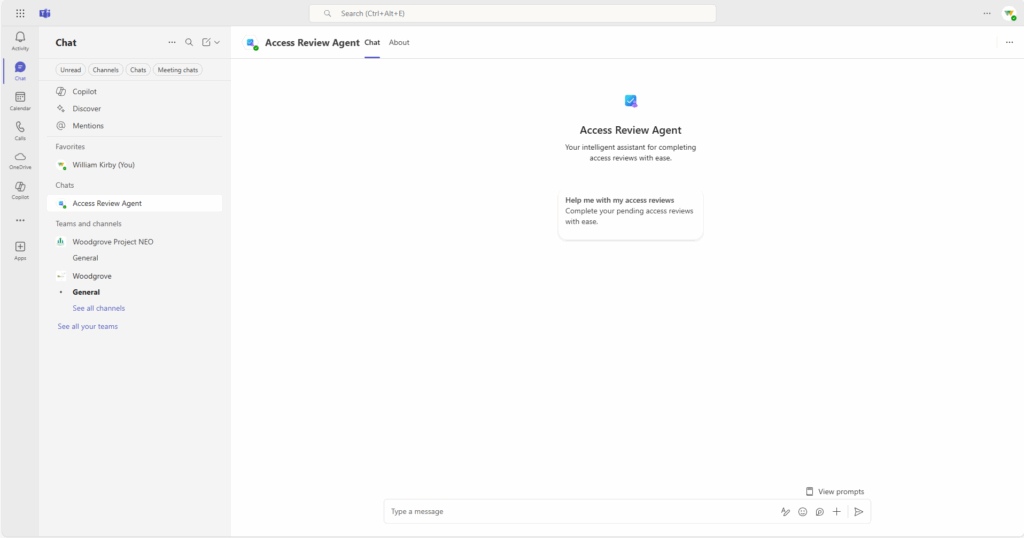
Microsoft has rolled out the Access Review Agent in public preview for Microsoft Entra ID customers. Integrated into Microsoft Teams, this new tool provides reviewers with AI-driven guidance, recommendations, and insights, allowing them to make faster and more informed decisions.
Access reviews often become a tedious and error-prone process due to the volume of decisions, lack of context, and limited visibility into user activity or relevance. Reviewers are expected to make informed choices about access permissions without sufficient insights, which can lead to delays, inconsistent decisions, and potential security risks.
How does the Access Review Agent enhance access governance?
The Access Review Agent addresses the challenges of manual access reviews by automating the process and providing intelligent, context-rich recommendations. It uses AI to analyze user activity, group memberships, and employment status. Then, this agent offers clear justifications and suggested actions directly within Microsoft Teams. This streamlines decision-making, reduces reviewer burden, and enhances the accuracy and consistency of access governance.
“The agents recommendation (approve / deny) for each decision relies on a deterministic scoring mechanism powered by multiple signals. The signals used for the recommendation are then used to provide an end-user friendly justification summary powered by a large language model (LLM). The subsequent natural language chat experience in Microsoft Teams is facilitated by the large language model with previously generated recommendations and justification summaries as available context,” Microsoft explained.
Limitations and considerations
One major limitation is that the Access Review Agent must be activated using an account with standing permissions. Moreover, once the agent is launched, it cannot be paused or stopped, which may be inconvenient if adjustments are needed mid-process. Lastly, the agent operates using the identity of the administrator who first activated it, which means all insights and recommendations are tied to that admin.
To use the Access Review Agent, organizations must meet a few key prerequisites. They need to have either a Microsoft Entra ID Governance or Microsoft Entra Suite license. Secondly, organizations must be onboarded to Security Copilot with at least one Security Compute Unit (SCU) provisioned. Lastly, specific admin roles (Identity Governance Administrator, Lifecycle Workflows Administrator, and Security Copilot Contributor) are required to set up and manage the agent.

Rabia has a master's degree in Software Engineering and she has years of experience writing professionally about Microsoft products and other technologies. Rabia has also written for OnMSFT.com as well as Windows Report. She is always up to date on t...