AI Agents vs. Identity: Why Entra ID Is Your New Control Plane
As AI agents become embedded in enterprise workflows, identity is no longer just a security layer but the new control plane.
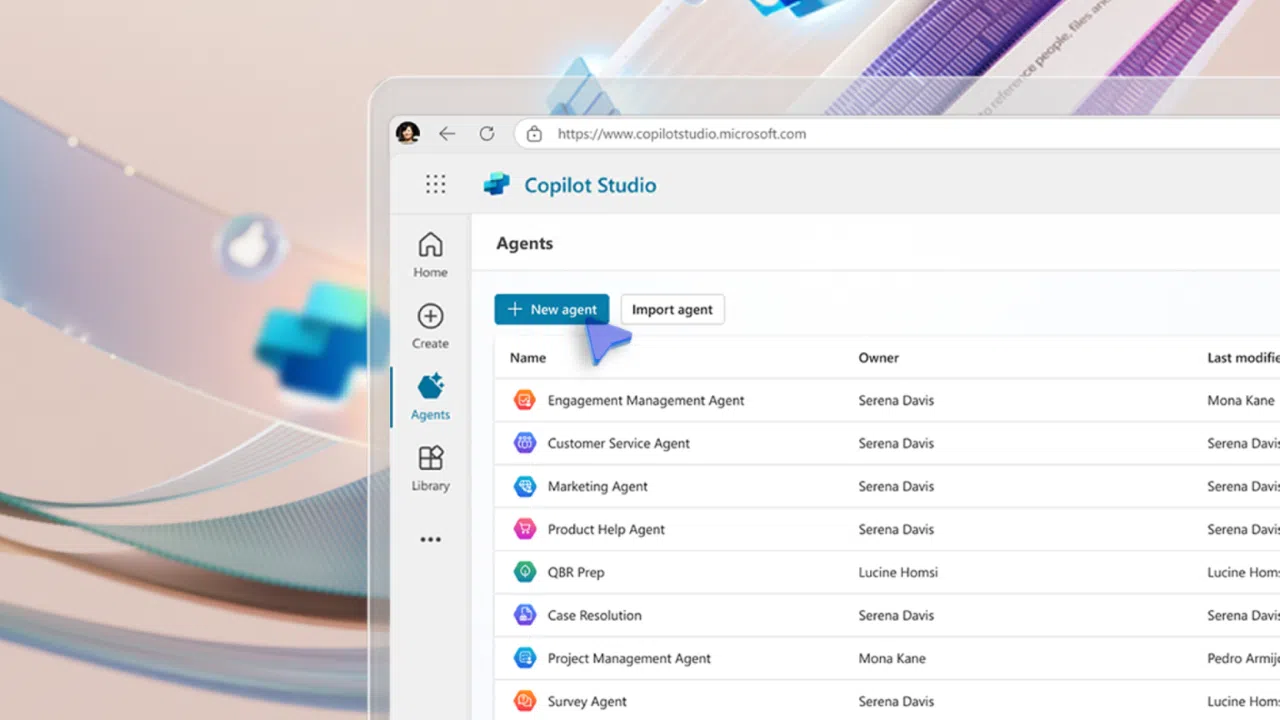
The rise of AI agents is forcing a fundamental rethink of enterprise security. Agents are autonomous, task-oriented digital workers that are no longer confined to experimental labs or niche use cases. Agents are being embedded into Microsoft 365, Windows, and Azure, where they draft emails, summarize meetings, automate reports, and interact with data on behalf of users.
But as agents grows more capable, they also become more dangerous. Not because they’re malicious, but because they operate with access to files, calendars, mailboxes, and APIs. And that means the traditional perimeter-based security model won’t cut it.
In this new landscape, identity is the control plane. And for Microsoft-centric organizations, that means Entra ID (formerly Azure AD) is the battleground.
Let’s explore why identity is now the most critical layer in your AI strategy and what practical steps you can take to harden your Entra environment before the agents take over.
The identity shift: From users to workload identities
Historically, identity governance focused on human users: employees, contractors, partners. But AI agents don’t log in with usernames and passwords. They operate as applications, service principals, and managed identities, which are collectively known as workload identities.
Non-human identities (NHIs) are already common across Microsoft 365 and Azure. Every time you deploy a Copilot, register an app, or automate a workflow, you’re creating a new identity with its own permissions, tokens, and potential vulnerabilities.
The problem? Most organizations haven’t updated their identity governance models to account for this change. Workload identities are often over-permissioned, poorly monitored, and excluded from Conditional Access policies. That’s a recipe for disaster in a world where AI agents can act, and misact, at scale.
Understanding identity for apps and agents in Microsoft Entra
When you create a Copilot agent or a custom AI agent inside Microsoft 365 (whether through Copilot Studio, Agent Builder, or the Microsoft 365 Agent Framework), it does not run under your user account. Instead, Microsoft automatically provisions a dedicated identity for the agent.
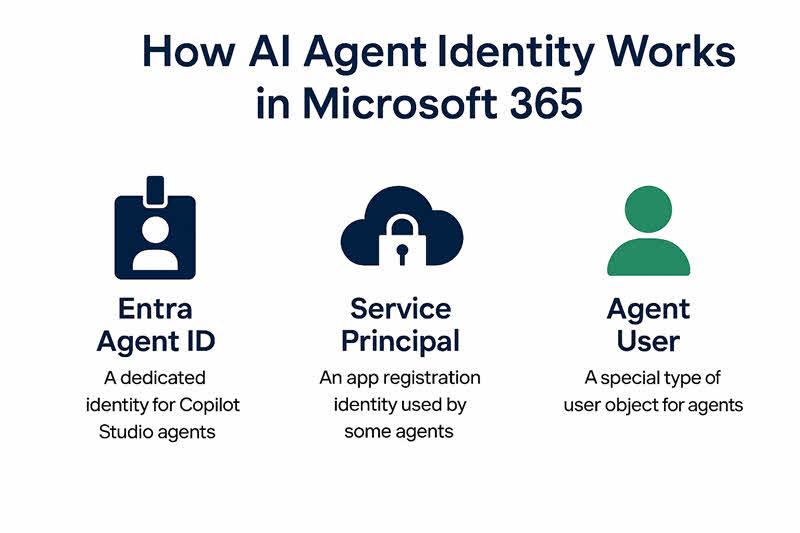
Depending on the type of agent, this identity can be either:
1. An Entra Agent Identity (the new Microsoft standard for AI agents)
New Copilot Studio agents now automatically receive an Entra Agent ID, which is a special identity type created just for AI agents.
What this means:
- The agent has its own unique identity object in Entra ID, separate from human user accounts.
- It authenticates using tokens issued to the service, not passwords.
- Its activity is logged in Microsoft Entra audit logs.
- You manage this identity just like a any other: You assign permissions, monitor sign-ins, apply Conditional Access.
2. A service principal/app registration (traditional model used by existing agents)
Before Agent IDs existed, and still today in some scenarios, creating a Copilot Studio agent generates:
- A Microsoft Entra app registration, and…
- A service principal that the agent uses to authenticate.
The service principal is what the agent uses to call the Microsoft Graph API, interact with Teams/Outlook/SharePoint, or connect to external data sources.
3. Agent users (special scenario for systems requiring user-like objects)
Some scenarios still require user objects. It’s rare, but important for legacy workloads.
| Agent Type | Identity Used |
| Copilot Studio declarative agents | Entra Agent Identity (preferred) or Service Principal |
| Custom Engine Agents (CEAs) | A developer‑controlled app registration / service principal |
| Legacy or pre‑Agent ID agents | Multitenant or single‑tenant app registration |
| Agents requiring user-context operations | Agent User identity |
Microsoft’s Agent Identity Platform: AI agents as first-class citizens
Microsoft’s new Agent Identity Platform in Entra ID is purpose‑built for the reality that AI agents now act autonomously inside enterprise environments. It introduces a dedicated identity framework that treats agents as first‑class entities with their own authentication, authorization, and governance requirements.

At the core of the platform are three identity constructs:
- Agent Identity, the primary identity an AI agent uses to authenticate, issued through a standards‑based OAuth 2.0 / OpenID Connect service. It never uses passwords. It uses only access tokens issued to the runtime the agent operates on.
- Agent Identity Blueprints, which function as templates for creating and managing multiple agent identities consistently across environments.
- Agent Users, optional user‑like objects for systems that still require a user identity rather than an app‑based or blueprint‑based identity.
Entra Agent Registry
The platform also provides the Agent Registry, a central metadata store inside Entra that gives administrators one place to discover, audit, and manage all agents deployed across Microsoft 365 and beyond. It maintains authoritative records for each agent, enforces discovery policies, and applies Zero Trust principles before any agent gains access.
The platform also includes SDKs, developer tooling, and an authentication service that issues secure tokens for app‑only or delegated scenarios, enabling agents to interact with APIs and downstream services safely.
The new threat model: AI as both tool and target
AI agents are dual-natured. On one hand, they’re productivity multipliers. On the other, they’re potential vectors for data leakage, privilege escalation, and lateral movement.
Consider a Copilot that can read sensitive documents, summarize them, and send them via email. If that agent is compromised or it is simply misconfigured, it could exfiltrate data faster than any human. Worse, it might do so without triggering traditional alerts, because it’s operating within the bounds of its assigned identity.
This is why identity governance must evolve. It’s not just about who can log in. It’s about what every identity, human or machine, is allowed to do, when, where, and under what conditions.
Entra ID: Your AI governance toolkit
Microsoft Entra ID offers a robust set of tools to manage NHIs. But most organizations are only scratching the surface. Here’s how to align your Entra configuration with the demands of agentic AI:
- Privileged Identity Management (PIM):
Every admin role, including those assigned to service principals, should be managed through PIM. Require just-in-time elevation, approval workflows, and audit logging. There shouldn’t be many (if any) situations where you would need to grant an AI agent admin roles. - Conditional Access (CA) for workload identities:
Extend CA policies to cover non-interactive sign-ins. Require compliant devices, enforce IP restrictions, and block legacy authentication. Use sign-in risk policies to detect anomalies, even for service accounts. - Token lifetime management:
Review and reduce token lifetimes for applications and agents. Long-lived refresh tokens are a liability in an AI-driven environment. Use Conditional Access session controls to enforce reauthentication and token revocation. - App consent governance:
Limit who can consent to applications accessing organizational data. Use admin consent workflows, restrict high-risk permissions (like Mail.ReadWrite or Files.Read.All), and regularly audit app registrations. - Workload identity hygiene:
Implement naming conventions, tag identities by owner and purpose, and automate lifecycle management. Remove unused service principals and rotate secrets regularly.
From configuration to culture: Making identity a first-class concern
Technology alone isn’t enough. To secure your AI future, identity governance must become a cultural priority. That means:
- Involving security and compliance teams in every Copilot deployment
- Training developers and automation builders on least-privilege design
- Including workload identities in your threat modelling and incident response plans
- Reporting on identity risk as a core KPI, not just a compliance checkbox
The organizations that succeed with AI won’t be the ones with the most agents. They’ll be the ones with the most disciplined identity posture.
What good looks like: A maturity snapshot
So, what does a well-governed Entra environment look like? Here’s a quick snapshot:
- All privileged roles are managed through PIM with time-bound access
- Conditional Access policies apply to both users and workload identities
- Token lifetimes are short, and session controls are enforced
- App consent is tightly governed, with no unreviewed high-risk permissions
- Workload identities are documented, monitored, and regularly reviewed
- Identity risk metrics are tracked and reported to leadership
If you can tick most of these boxes, you’re ahead of the curve. If not, now is the time to act before your agents outpace your controls.
Conclusion: Identity is the perimeter
As AI agents become more capable, the line between user and application blurs. Identity is the perimeter. It’s the policy engine, the audit trail, and the last line of defense.
Microsoft Entra ID isn’t just a directory service anymore. It’s your AI firewall, your automation governor, and your compliance backbone.
The battleground has shifted. And the organizations that win will be the ones that treat identity not as infrastructure but as strategy.

Russell Smith, the Editorial Director at Petri IT Knowledgebase, has over two decades of hands-on experience in IT, in both small business settings and government IT infrastructure projects. Russell started writing for Windows IT Pro Magazine in t...