
Michael Reinders
Petri ContributorMichael has been an IT Pro since 1998. He has worked predominantly in the Windows world including client and server operating systems, on-prem systems engineering (AD, DNS, etc.), and over the last ten years or so has embraced and immersed himself in all things Microsoft 365 - including Exchange Online, SharePoint Online, Teams, OneDrive, and Microsoft Entra ID. He has written articles here on Petri based on these technologies. Michael strives to help other IT Pros with getting more efficient (especially with PowerShell) in their day-to-day tasks and offering solid assistance on larger projects.
LATEST

Network Monitoring Tools: Essential Guide to Keeping Your Infrastructure Healthy
Last Update: Oct 22, 2025
- Oct 20, 2025
-

In this post, I’ll explain what network monitoring tools are, why they’re important for keeping your IT systems running smoothly, how security plays a role, and how to choose and implement the right solution. I’ll cover key features, popular tools, best practices, and common mistakes to help you build a robust monitoring strategy. What are…

Windows Sudo: Elevating Privileges the Linux Way in Windows
- Oct 15, 2025
-
With the introduction of Sudo for Windows, Microsoft has brought a familiar Linux privilege escalation tool to Windows users. It enables administrators and power users to execute commands with elevated permissions without switching contexts, streamlining workflows, and enhancing security. This article examines how Windows Sudo operates, its advantages, configuration options, and its comparison to traditional…
Command Prompt vs PowerShell: Which One Should You Use?
- Oct 08, 2025
-
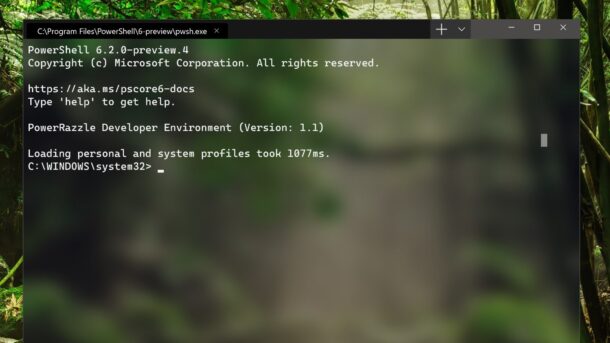
This article provides a comprehensive comparison of the Command Prompt vs PowerShell, guiding you through the distinct features and ideal use cases for each tool, helping you make an informed decision for your specific needs. Command Prompt remains useful for quick, legacy tasks, but PowerShell stands as the superior, more versatile, and future-proof tool for…

What Is a DHCP Lease? Understanding How Devices Get IP Addresses
- Oct 02, 2025
-
In this post, we’ll dive into what a DHCP lease is, how it works, and why it matters for overall network management. What is a DHCP lease? A Dynamic Host Configuration Protocol (DHCP) lease is the temporary assignment of an IP address to a device. Instead of permanently giving a laptop the address 192.168.1.50, for…

Microsoft Entra Connect Health: What You Need to Know
- Sep 30, 2025
-
Microsoft Entra Connect Health (formerly Azure AD Connect Health) is a tool designed to give you visibility and troubleshooting information over synchronization between on-premises Active Directory and Microsoft Entra ID in the cloud. Let’s dive into the basics of what it is and how it can benefit you. What is Microsoft Entra Connect Health? Microsoft…

How To Create an Entra ID (Azure AD) Tenant: Step-by-Step Guide
- Sep 24, 2025
-
Learn why you may want to create a new or additional Microsoft Entra ID (Azure Active Directory) tenant. What questions do you need to answer before creating one? Do you go down the ‘Microsoft Entra ID’ route or ‘Azure AD B2C’? What are the implications of each? Read my article to get answers to all…
Using Connect-PnPOnline to Manage SharePoint Online with PowerShell
- Sep 18, 2025
-
Learn how to harness the power of PowerShell to manage a specific SharePoint Online site with Connect-PnPOnline. This guide walks you through installing the Connect-PnPOnline PowerShell module, connecting to SharePoint Online using the Connect-PnPOnline command, and exploring the capabilities of the SharePoint Online PowerShell module for seamless site administration and automation. What is PnP PowerShell?…

Group Policy Security Filtering: Fine-Tune How GPOs Are Applied
Last Update: Mar 17, 2026
- Sep 11, 2025
-
Group Policy security filtering is a helpful feature within Active Directory that allows administrators to fine-tune the application of Group Policy Objects (GPOs) to specific users, groups, and computers. In this article, we go through the fundamentals of Group Policy security filtering, explores its benefits, and provides practical examples and best practices for implementation. Common…

Microsoft Entra Connect vs. Microsoft Entra Cloud Sync
- Sep 03, 2025
-
This article examines the distinctions between Microsoft Entra Connect vs. Microsoft Entra Cloud Sync, two separate solutions designed to synchronize on-premises Active Directory (AD) with Microsoft Entra ID (formerly Azure AD). What is Microsoft Entra Connect? Microsoft Entra Connect (formerly Azure AD Connect) is a synchronization tool that copies identities, like user accounts, from on-premises…

Key Strategies for Active Directory Disaster Recovery
Last Update: Sep 08, 2025
- Aug 28, 2025
-
Microsoft’s Active Directory Forest Recovery Guide outlines 29 steps for Active Directory disaster recovery of your environment. But here’s the key takeaway: It’s just a guide. Further, it explicitly states it “doesn’t cover security recommendations for how to recover a forest that has been hacked or compromised”. Following it without prior hands-on experience or preparation is a…
Network Devices Explained: Understanding the Backbone of Modern Networking
- Aug 26, 2025
-
This article explains the most common network devices, their functions, and how they work together in your network topologies. Network devices explained A network device is a hardware component that handles communication, the transfer of data, and connectivity within a computer-based network. These devices ensure that information flows between computers, endpoints, servers, and printers with…

What is RMM? A Guide to Remote Monitoring and Management for IT Pros
Last Update: Dec 04, 2025
- Aug 18, 2025
-
Remote Monitoring and Management (RMM) is a software and technology solution that enables IT professionals and MSPs (Managed Service Providers) to remotely support customers’ networks and devices without requiring physical travel to the site. It’s what makes the work of modern IT teams possible. Proactively monitoring, managing, and securing IT infrastructure is the main focus…