Microsoft Announces New Copilot and Agentic AI Experiences for Windows 11
Windows 11 evolves with Copilot’s new AI-driven tools for seamless voice control, vision, and task automation.
Key Takeaways:
- Microsoft expands Copilot in Windows 11 with new voice, vision, and agentic capabilities.
- Users can now interact naturally with Copilot and even let AI agents handle local tasks securely.
- New integrations, connectors, and AI tools bring deeper productivity and personalization to Windows 11 PCs.
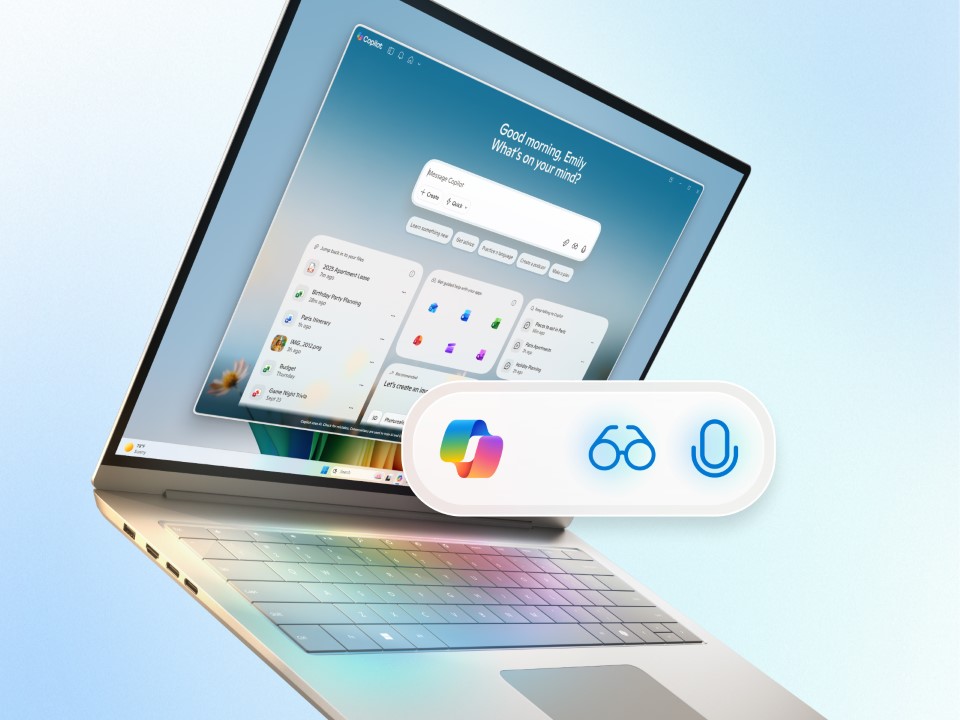
Microsoft announced today several new Copilot and agentic experiences for Windows 11 PCs. These new features are designed to evolve Windows 11 into an AI-powered platform with Copilot, which enables natural interaction through voice, vision, and action.
“Today, we’re taking an exciting step forward with a new wave of updates that make every Windows 11 PC an AI PC – with Copilot at the center of it all,” said Yusuf Mehdi, EVP and Consumer Chief Marketing Officer at Microsoft. “We are making the most powerful AI more accessible by integrating it into the Windows experiences people are already using every day.”
‘Hey Copilot’ voice activation
Microsoft has introduced a new voice feature that allows users to start and end conversations with Copilot using simple phrases on Windows 11 PCs. Users can enable the “Hey, Copilot” option in the Settings of the Windows Copilot app to activate voice interaction with the AI assistant for asking questions. Microsoft says that saying “Goodbye,” tapping ‘X,’ or waiting a few seconds of inactivity will end the conversation.
Copilot Vision generally available on Windows 11 PCs
Copilot Vision, the new feature that allows the AI assistant to view content on users’ screens, is now generally available for all Windows 11 users. Copilot in Windows 11 allows full desktop and app sharing to analyze content, offer suggestions, and guide users through tasks in real time. The new Highlights feature also lets users ask “show me how” and receive step-by-step visual guidance within apps, such as improving photo lighting or checking a travel itinerary.
Additionally, Copilot Vision in Word, Excel, and PowerPoint offers deeper support by analyzing entire documents to make tasks like reviewing a full presentation more efficient for Windows 11 users. Microsoft will soon allow users to interact with Copilot Vision using text, not just voice commands. This capability will be available for Windows Insiders in the coming weeks.
Copilot integration in the taskbar coming to Windows Insiders
The new “Ask Copilot” integration in the Windows 11 taskbar will provide quick access to voice and Copilot vision support with just one click. A new streamlined search experience will make it faster and easier for users to find apps, files, and settings as they type. It’s worth noting that this feature will use existing Windows APIs and doesn’t give Copilot access to personal content to ensure privacy.
Copilot Actions preview
Earlier this year, Microsoft launched Copilot Actions on the web, which enables the Copilot AI assistant to take actions on behalf of users, such as booking car rentals, concert tickets, and restaurant tables. The company is now extending Copilot’s capabilities to local files in Windows 11 via experimental agentic features.
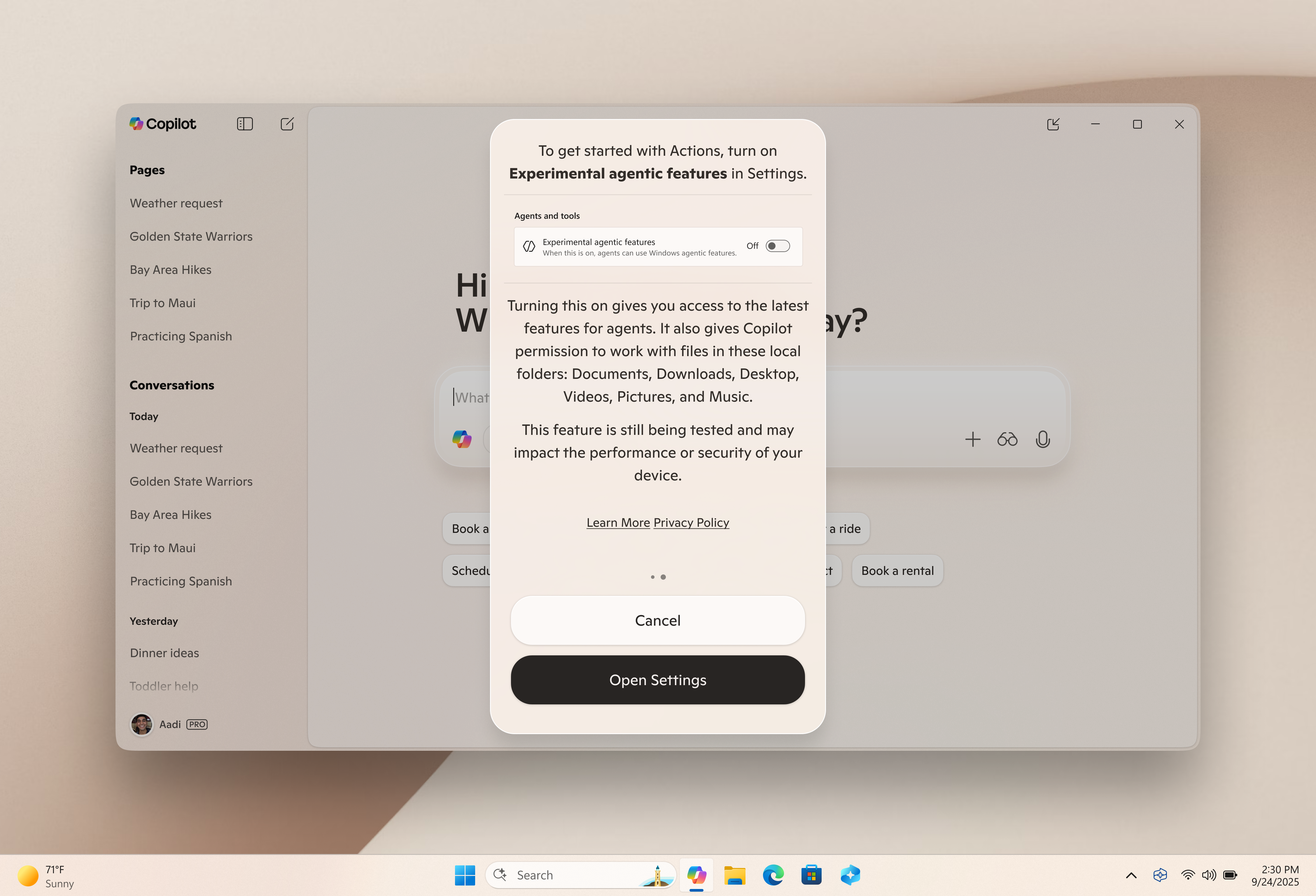
Microsoft will introduce a new experimental mode for Copilot Actions that will enable AI agents to perform tasks by interacting with local apps and files. This capability could be useful in quickly sorting photos, extracting data from PDFs, and sending emails. Microsoft will soon begin testing this experimental feature with Windows Insiders in Copilot Labs.
Keep in mind that these agents can also introduce new security challenges like cross-prompt injection attacks. Microsoft emphasizes that its approach to securing AI agents in Windows 11 is built on a foundation of clear principles and practical safeguards. Agents operate under dedicated accounts separate from the user to ensure distinct policy enforcement, and begin with limited privileges that only expand with explicit user consent. Moreover, agents must be signed by verified sources and follow privacy-first design standards that align with Microsoft’s Responsible AI commitments.
In practice, these principles are reflected in how Copilot Actions are deployed on Windows 11 PCs. Microsoft says that this feature is disabled by default and requires user opt-in. Once enabled, agents function within isolated workspaces that limit their access and visibility. Access to sensitive folders is tightly restricted unless the user grants permission.
Copilot Connectors
In Windows 11, Copilot Connectors will let users link services (such as OneDrive, Outlook, Gmail, and Google Drive) directly to the Copilot app, which will make it easier to access and understand their personal content. Once connected, users will be able to ask Copilot for specific details with natural language commands, such as locating a document, retrieving a contact, and finding a calendar event. They will also be able to export Copilot’s responses into Word, Excel, and PowerPoint.
Additionally, Microsoft will add a new Copilot integration with Windows Settings. This feature will enable users to ask questions like “Help me focus” or “Make my screen easier to read,” and get direct links to the relevant Windows settings.
AI-powered tools
Microsoft will roll out support for new AI actions to simplify tasks for Windows 11 users. A new AI agent dubbed Manus will be able to build websites directly from local documents with just a right-click in File Explorer. Manus will also be available as a native app that allows users to request website creation using local images or files via chat. It will use Windows’ Agentic platform to fetch content and work securely in the background.
Windows 11 users will be able to edit videos with Filmora directly from File Explorer. For Copilot+ PC users, the new Zoom integration with Click to Do will enable instant meeting scheduling by hovering over an email address.
Last but not least, Microsoft has highlighted a range of new Copilot+ PCs optimized for AI tasks, with models from Acer, ASUS, Dell, HP, Lenovo, Samsung, and Surface. Windows 10 has already reached end of support, and Microsoft is encouraging customers to upgrade to Windows 11.
Users can purchase the newest Windows 11 and Copilot+ PCs through major global retailers like Amazon, Best Buy, Walmart, and more. Moreover, trusted resellers such as Bechtle, CDW, and ComputaCenter offer scalable solutions to support upgrades for business customers.

Rabia has a master's degree in Software Engineering and she has years of experience writing professionally about Microsoft products and other technologies. Rabia has also written for OnMSFT.com as well as Windows Report. She is always up to date on t...


