Microsoft OneDrive Gets New Copilot Features to Boost Workplace Productivity
Microsoft’s latest OneDrive update brings Copilot-powered tools to enhance productivity, collaboration, and content management for enterprise users.

Key Takeaways:
- New Copilot tools in OneDrive boost productivity with smarter file actions and summaries.
- Enhanced collaboration features simplify sharing, access, and content management.
- A refreshed Photos experience brings AI-powered organization and creative tools.
Microsoft has introduced new features in Copilot in OneDrive for enterprise and business users. These updates aim to enhance productivity, streamline collaboration, and bring intelligent automation to everyday file management.
Enhanced productivity tools
First off, Microsoft has introduced a new floating Copilot icon in the OneDrive web app for customers with a Microsoft 365 Copilot subscription. Users will be able to see the floating icon next to their important files, which can be invoked with a single click. They can simply select a file and click the Copilot icon to summarize content, ask questions, and compare different file versions.
Starting today, all new documents created in the Word desktop app for Windows will be saved directly to OneDrive with autosave enabled. This new cloud-first creation experience is currently available for Office Insiders. Moreover, the “Add to OneDrive” feature now allows users to create shortcuts to shared libraries for easier access. There is also a new File Explorer’s People card that shows collaborators and links to Microsoft Teams and Outlook.
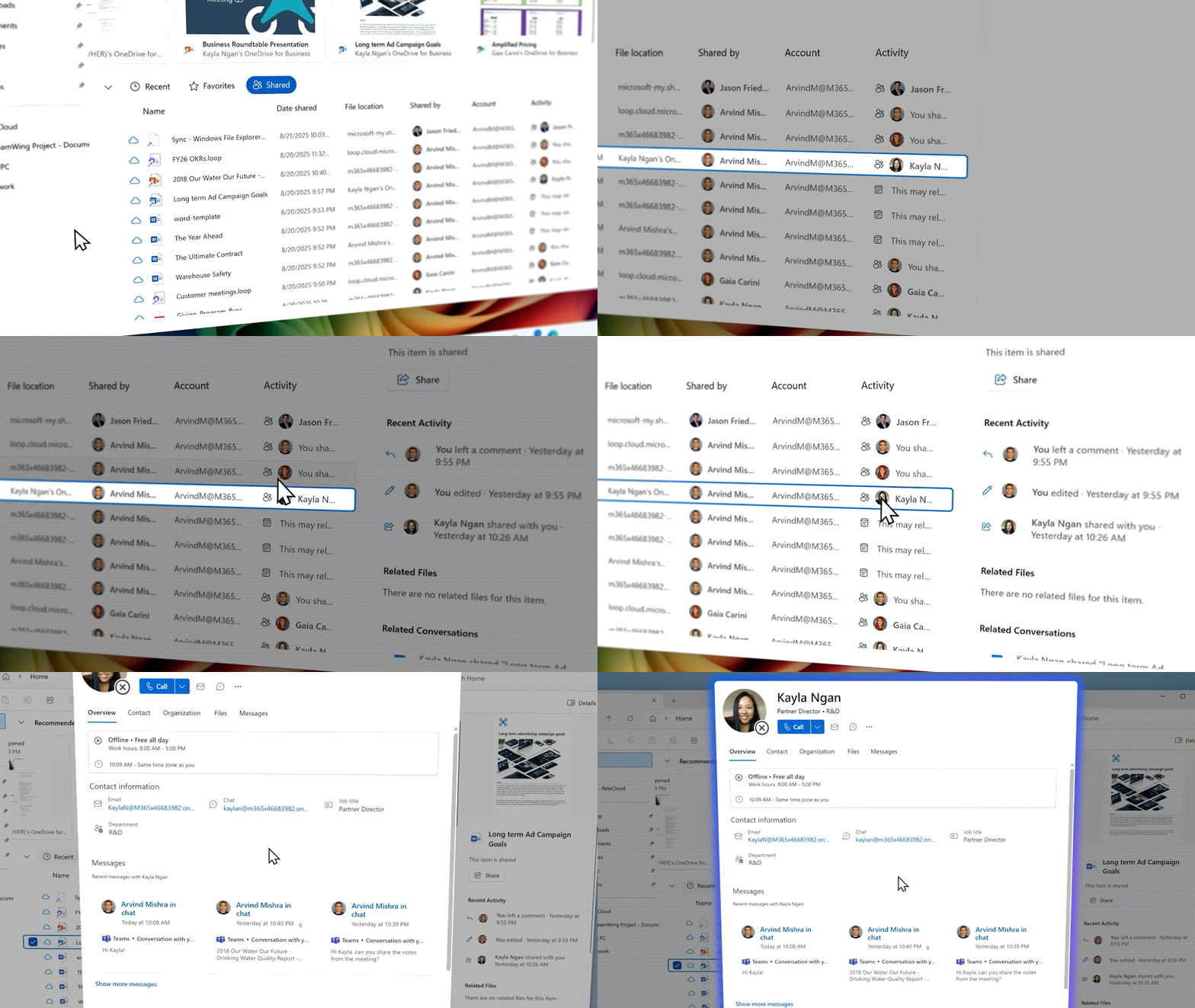
Collaboration & sharing enhancements
Microsoft OneDrive users can now create a single, permanent URL for shared content with adjustable permissions for different subsets of users. The Copilot AI assistant provides context before recipients open shared files.
With bulk transfer, users can easily reassign OneDrive content when team members change roles or leave the organization. The Microsoft 365 Archive also enables users to archive old or oversized content to declutter and reduce costs.
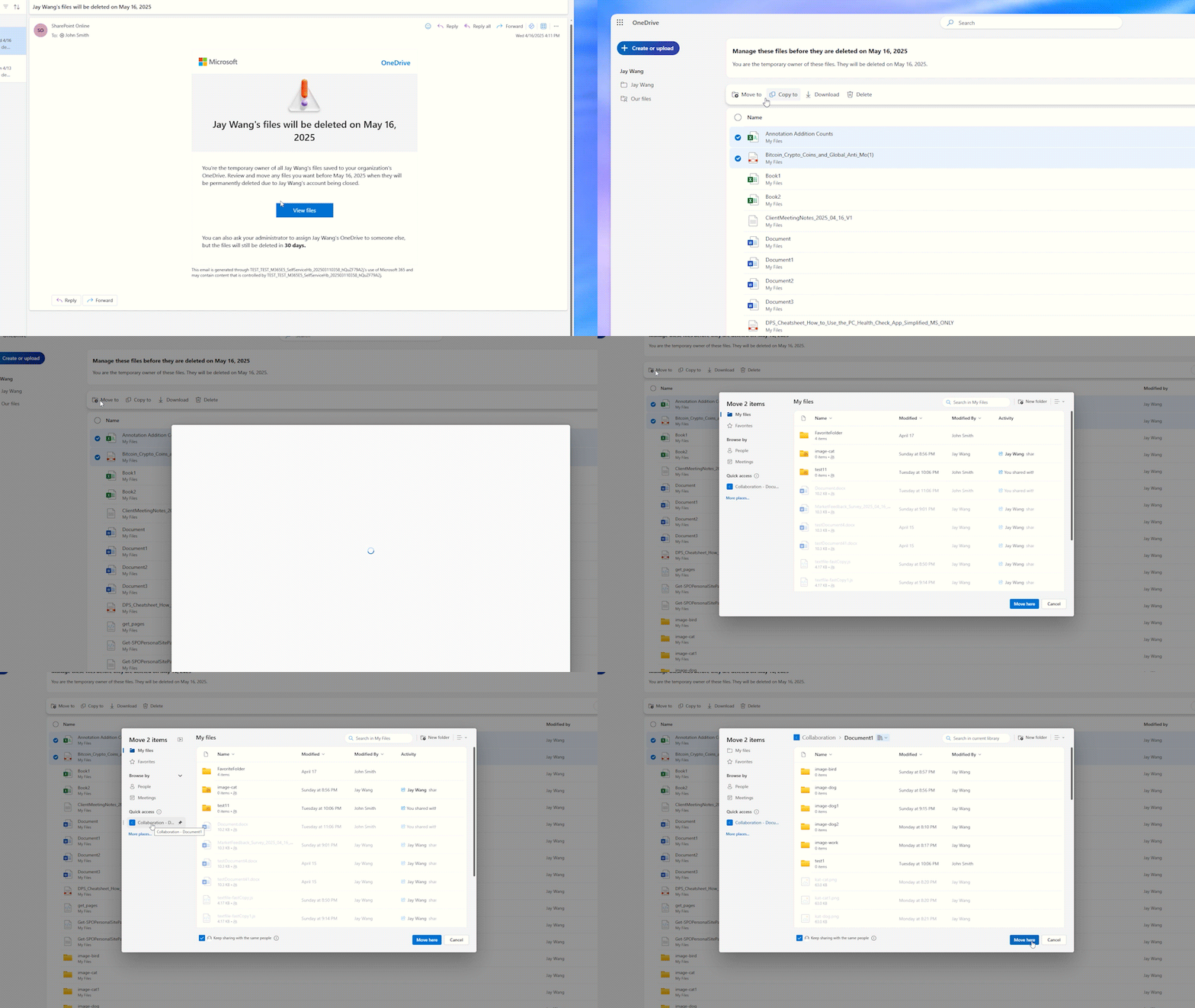
Governance & admin tools
Microsoft mentioned that the Sync Health Dashboard allows IT admins to monitor device sync status and export telemetry for reports. Moreover, the Copilot integration in SharePoint Admin Center lets administrators manage sites, content, and user access with AI-powered insights and automated tasks.

OneDrive Photos experience
Lastly, Microsoft has introduced a new Photos experience in the OneDrive app for Windows. This new Photos section will feature gallery, people view, and AI slideshow tabs at the top. Users will also be able to edit both cloud-based and local photos directly within OneDrive.
The new Photos Agent is designed to help users find photos, create albums, and share them with natural language commands. The Moments tab also highlights memories from stored photos, as well as the photo shuffle and stacking features make it easier to rediscover favorite shots and eliminate duplicates. The OneDrive mobile app will soon allow users to creatively enhance their photos with fun styles.

Rabia has a master's degree in Software Engineering and she has years of experience writing professionally about Microsoft products and other technologies. Rabia has also written for OnMSFT.com as well as Windows Report. She is always up to date on t...




