Microsoft Copilot vs ChatGPT: Understanding the Key Differences
A comparison of two leading AI assistants and how they serve different use cases.

Understanding the differences between Microsoft Copilot vs ChatGPT is essential for organizations evaluating how AI can enhance productivity, creativity, and business workflows. While both tools are built on advanced generative AI models, they were designed with very different purposes in mind.
Microsoft Copilot vs ChatGPT: Primary use cases for each tool
ChatGPT and Microsoft Copilot have differing primary use cases.
What is ChatGPT?
ChatGPT is a general-purpose AI assistant capable of handling tasks such as creative writing, coding, summarizing complex topics, brainstorming, tutoring, and more. Its capabilities are similar to other AI assistants such as Google Gemini, and its multimodal design allows for tasks such as text-to-image generation with significant stylistic control.
| Category | Microsoft 365 Copilot | ChatGPT |
|---|---|---|
| Primary use case | Business productivity | General-purpose AI assistant |
| Data access | Microsoft Graph / M365 data | User-provided or API-integrated data |
| Strengths | Workflow automation, enterprise tasks | Creativity, coding, problem solving |
| Extensibility | Plugins, Power Platform | Custom GPTs, API |
What is Microsoft 365 Copilot?
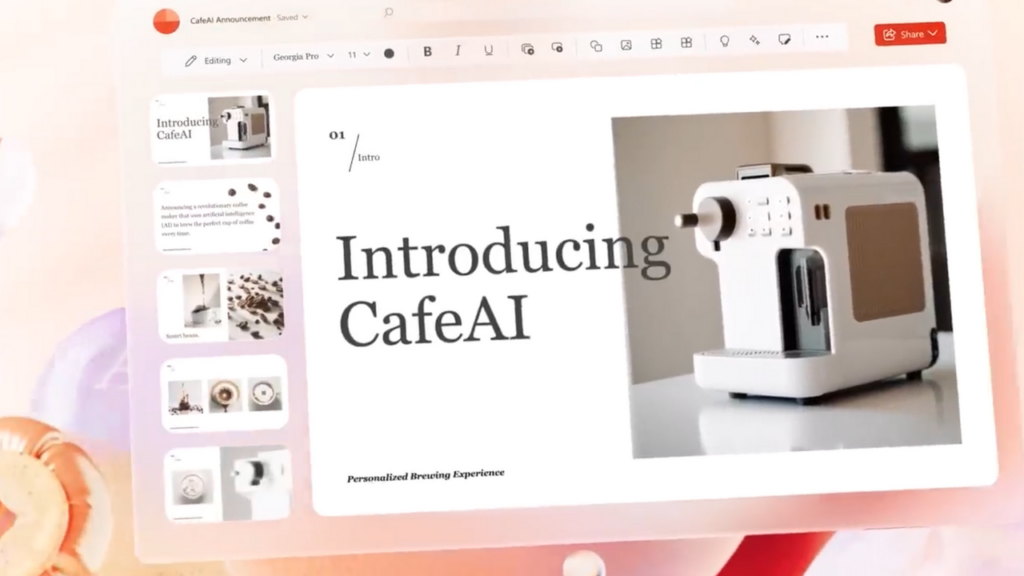
Like ChatGPT, Microsoft 365 Copilot is also an AI-powered assistant. However, whereas ChatGPT is general purpose, Microsoft 365 Copilot is tightly integrated into the Microsoft ecosystem. Copilot functionality is embedded into apps such as Word, Excel, PowerPoint, Outlook, and Microsoft Teams. This integration enables tasks such as drafting emails, summarizing meetings, analyzing spreadsheets, formatting documents, and converting Word files into PowerPoint presentations.
🎨 ChatGPT
🖋️ Advanced creative writing💡 Ideation & brainstorming
🎭 Style, tone, and voice shifting
🧠 Complex problem solving
🖼️ Flexible, high-control image generation
💻 Strong coding & debugging support
📊 Copilot Consumer/Pro
📄 Document summarization (personal files)📅 Email drafting & organization
📧 Inbox clean-up suggestions
🖼️ Faster Designer image generation (Pro)
💨 Priority access to latest models (Pro)
🛠️ Enhanced features for Office apps (Pro)
🏢 Microsoft 365 Copilot
📂 Deep integration with Microsoft 365 apps🔗 Access to enterprise data via Microsoft Graph
📊 Advanced document, spreadsheet & meeting analysis
🛡️ Enterprise-grade security, governance & compliance
⚙️ Workflow automation with Power Platform
🤖 Custom enterprise agents via Copilot Studio
Copilot also offers text-to-image capabilities through Microsoft Designer. While ChatGPT’s image-generation features are more general purpose, Microsoft’s tools are optimized for business graphics.
Although Copilot is embedded in Microsoft 365 apps, Microsoft also provides Copilot Chat, a natural language interface for interacting with the assistant. Microsoft continues to introduce new features such as voice interaction for Copilot.
Microsoft Copilot, Copilot Pro, and Microsoft 365 Copilot
Microsoft offers several versions of Copilot, each designed for a different audience. Microsoft 365 Copilot is the enterprise-grade version, tightly integrated with Microsoft 365 apps and organizational data, providing secure, context-aware assistance tailored to business workflows. Microsoft Copilot for consumers, on the other hand, is a free, lightweight version available in Windows and the web, offering general AI assistance without access to enterprise data or advanced productivity features.
Copilot Pro sits between the two, providing consumers and prosumers with enhanced performance, priority access to the latest models, and advanced features, such as Designer image generation and improved integration with personal Microsoft 365 apps, while still not offering the enterprise data connectivity or governance found in Microsoft 365 Copilot.
| Feature / Capability | Microsoft Copilot (Consumer) | Copilot Pro | Microsoft 365 Copilot (Enterprise) |
|---|---|---|---|
| Target audience | General consumers | Power users, prosumers | Businesses and enterprises |
| Price | Free | Paid monthly subscription | Requires Microsoft 365 license + Copilot add-on |
| AI model access | Standard models | Priority access to latest models (e.g., GPT-5.1 class) | Enterprise-grade models with M365 context |
| Integration with Microsoft 365 apps | Limited | Enhanced integration for personal M365 apps | Full deep integration across Word, Excel, PowerPoint, Outlook, Teams |
| Access to enterprise data via Microsoft Graph | No | No | Yes |
| Advanced document analysis | No | Limited | Yes |
| Email drafting & meeting summarization | Basic | Improved | Full enterprise-grade with organizational context |
| Designer / Image generation | Standard | Faster, higher-quality generation | Business-optimized generation through Designer |
| Security & compliance | Consumer-level | Consumer-level with improved controls | Enterprise-level (Microsoft Purview, compliance, governance) |
| Custom extensions / plugins | No | Limited | Yes (plugins, Power Platform, connectors) |
| Copilot Studio support | No | No | Yes |
| IT admin controls | No | No | Yes |
| Voice interaction | Yes | Yes | Yes |
What happens when AI meets enterprise data?
ChatGPT and Microsoft 365 Copilot differ significantly in how they interact with enterprise data. Even though both tools are based on OpenAI’s GPT-5 model, ChatGPT is not automatically connected to a productivity suite. While organizations can share data with ChatGPT or build custom solutions using the ChatGPT model, ChatGPT does not have inherent access to an organization’s data.
Microsoft Copilot, conversely, is deeply integrated with the Microsoft ecosystem and uses Microsoft Graph to access data from SharePoint, emails, spreadsheets, presentations, and more. This allows users to ask questions based on organizational content and receive context-aware answers.
Security, compliance, and data governance: How do security priorities differ between these tools?
ChatGPT was not originally designed with enterprise security and compliance as a primary focus. While secure and compliant applications can be built using ChatGPT, doing so generally requires substantial custom effort.
Copilot for Microsoft 365, on the other hand, was built with enterprise-grade security, compliance, and governance in mind. It relies on the same controls used to protect all Microsoft 365 data.
Why does context matter so much for AI assistants?
In AI models, context defines the assistant’s frame of reference. ChatGPT has broad general knowledge and establishes context based on global knowledge, conversation history, and any uploaded files.
Microsoft Copilot also has general knowledge but is specifically designed to derive context from an organization’s documents, conversations, files, and other connected business data.
How extensible are these AI platforms?
ChatGPT and Microsoft Copilot are both extensible in different ways. ChatGPT allows users to build custom GPTs, which are personalized versions of ChatGPT with custom behaviors and knowledge. An organization could, for example, create a custom GPT trained on its customer support documentation.
Organizations can also build custom applications that call the ChatGPT API, enabling AI-powered features without requiring specialized AI development expertise.
Microsoft 365 Copilot is extensible through Microsoft 365 plugins, the Power Platform, and business data connectors, allowing access to data outside the Microsoft ecosystem. These capabilities enable workflow automation and process optimization.
Microsoft also offers Copilot Studio for creating custom AI agents.
Considering cost? Licensing differs widely
Microsoft offers some free copilots through Windows 11 or the Edge browser. However, organizations that want Microsoft 365 Copilot must license each user for Microsoft 365 and purchase an additional Copilot add-on license.
ChatGPT offers a free version online, but organizations can subscribe to paid ChatGPT plans such as Plus, Teams, or Enterprise. Developers can also use ChatGPT via API billing based on usage.
Which tool plays to your strengths?
ChatGPT excels at creative tasks, problem-solving, and coding assistance. In terms of versatility, ChatGPT often surpasses other tools.
Microsoft Copilot can generate content but focuses on business-oriented tasks such as summarizing documents or analyzing data. Although Microsoft 365 Copilot is not designed for coding support, GitHub Copilot exists as a separate subscription-based tool for that purpose.

As an internationally bestselling tech author and a former 22-time Microsoft MVP, Brien Posey has written or contributed to dozens of books and created a variety of full-length video training courses on all sorts of IT and space-related topics. He’...




