Microsoft Entra Conditional Access Gets Token Protection to Block Token Theft Attacks
The new Token Protection feature reduces the risk of stolen tokens being exploited by attackers.

Key Takeaways:
- Microsoft adds Token Protection in Entra Conditional Access to counter token theft.
- This security feature binds tokens to specific trusted devices for security.
- Admins advised to pilot and monitor before full deployment.
Microsoft has introduced a new feature called Token Protection in Microsoft Entra Conditional Access. This new security feature binds authentication tokens to trusted devices to protect organizations against one of the most dangerous attack vectors—token theft.
How does Token Protection prevent token theft attacks?
Specifically, Token Protection is a security feature that ties authentication tokens to the specific device they were issued on, which makes them unusable if stolen or copied to another device. It helps prevent token theft attacks by cryptographically binding the token to the device’s client secret.
“When a user registers a Windows 10 or later device with Microsoft Entra, a PRT is issued and cryptographically bound to that device. This binding ensures that even if a threat actor steals a token, it can’t be used from another device. With Token Protection enforced, Microsoft Entra validates that only these bound sign-in session tokens are used by supported applications,” Microsoft explained.
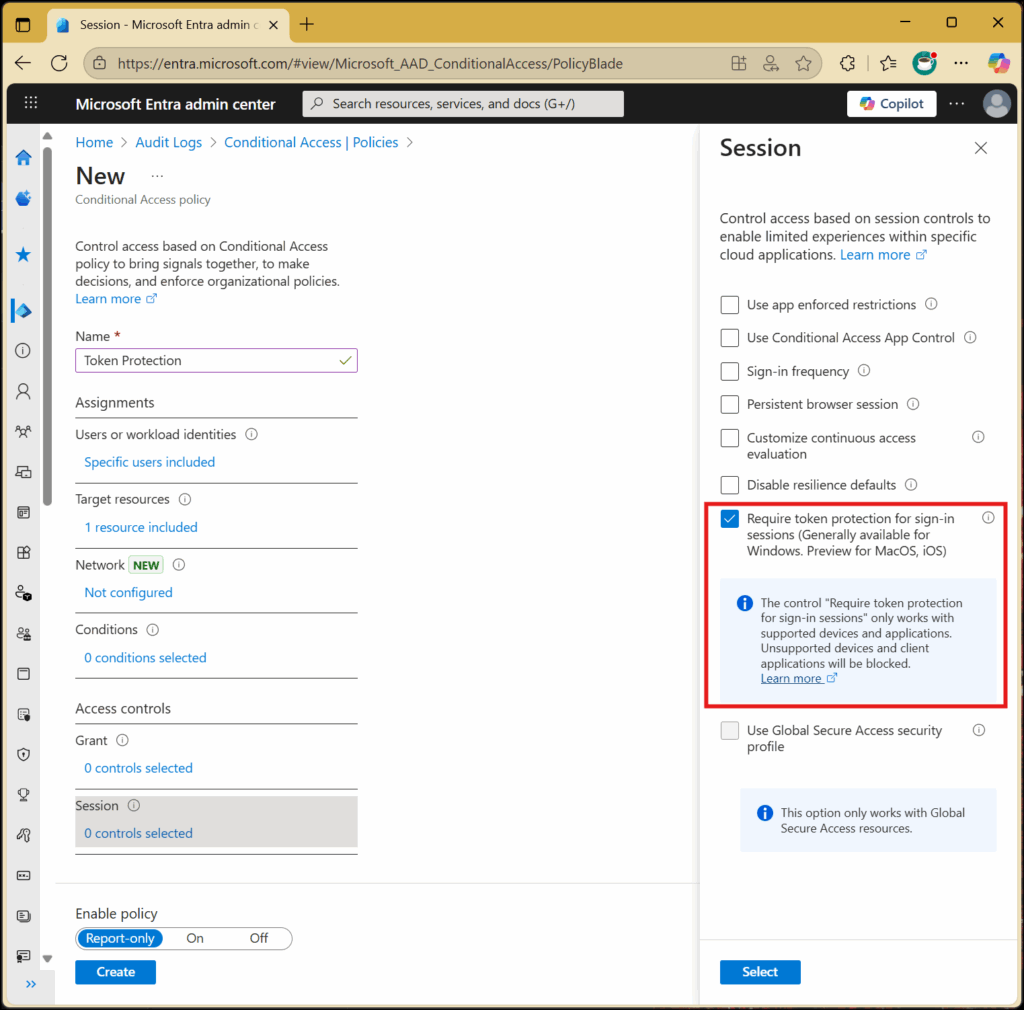
Microsoft notes that administrators can enforce Token Protection policy on SharePoint Online, Exchange Online, and Microsoft Teams resources. It’s supported by various Microsoft 365 apps, including the OneDrive sync client and Teams native client.
Licensing and device requirements
The Token Protection feature requires a Microsoft Entra ID P1 license. It works on Windows 10 or newer devices that are Entra joined, hybrid joined, or registered, and also supports Windows Server 2019 or later machines that are hybrid Entra joined.
Keep in mind that the Token Protection feature doesn’t support Surface Hub, Microsoft Teams Rooms, select PowerShell modules, Office perpetual clients, PowerQuery, and some Visual Studio Code extensions. It also doesn’t support various device registration methods, including Azure VM extension, bulk enrollment, and Autopilot self-deploying mode.
Microsoft advises IT admins to roll out this policy gradually, starting with a pilot group and using report-only mode to track its impact. Sign-in logs should be reviewed to check compatibility and spot potential issues. Admins must also configure Conditional Access policies carefully to avoid blocking legitimate users.

Rabia has a master's degree in Software Engineering and she has years of experience writing professionally about Microsoft products and other technologies. Rabia has also written for OnMSFT.com as well as Windows Report. She is always up to date on t...