Windows Backup for Organizations Now Available to All Commercial Customers
A new enterprise-grade backup tool helps businesses preserve user settings and apps for smoother Windows device transitions.

Key Takeaways:
- Microsoft’s Windows Backup for Organizations is now generally available for enterprises.
- The tool helps preserve and restore user settings, preferences, and apps.
- It simplifies Windows 10 to 11 migrations and ensures smoother device transitions.
Windows Backup for Organizations, a new tool that launched in limited public preview, is now generally available for commercial customers. This new feature allows organizations to take a backup of their Windows PC settings and preferences and then restore them on a Microsoft Entra-joined device.
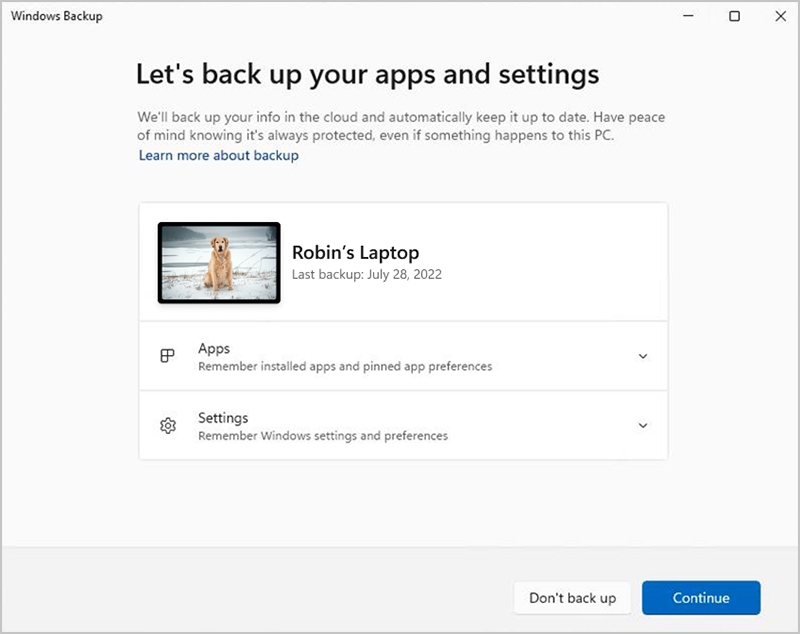
Microsoft first announced Windows Backup for Organizations at its Ignite conference in November 2024. This tool is designed to back up and restore Windows 11/10 settings during upgrades or device resets. It can also back up the list of installed apps from the Microsoft Store and restore them to the user’s Start Menu.
Key capabilities of the Windows Backup for Organizations tool
Windows Backup for Organizations offers a streamlined and secure solution for preserving user settings and Microsoft Store apps. This tool helps administrators restore a consistent user experience after device resets, reimages, or upgrades, especially when transitioning from Windows 10 to Windows 11. It reduces troubleshooting time and boosts productivity, which allows users to resume work with minimal disruption.
“Windows Backup for Organizations is an enterprise-grade feature designed to streamline device transitions by securely preserving user settings and Microsoft Store app configurations. Whether upgrading from Windows 10 or refreshing PCs, it delivers a consistent user experience and enhances business continuity through robust backup and rapid recovery capabilities,” Microsoft explained.
Backup and restore requirements
According to Microsoft, administrators can create backups from devices running Windows 10 version 22H2 or Windows 11 version 22H2 or later. However, it’s only possible to restore those backups on devices running Windows 11 version 22H2 or later. Additionally, both Microsoft Entra-joined or Entra hybrid-joined devices can perform backups, but only Entra-joined devices can fully restore user settings and Microsoft Store apps to the Start Menu.
Keep in mind that the Windows Backup for Organizations is an opt-in feature that is disabled by default for commercial customers. Administrators will need to enable the backup policy through mobile device management (MDM) or Group Policy.
Microsoft notes that administrators will need to use the Out-Of-Box Experience (OOBE) for restoring user settings. This means that when a user sets up a new device or resets the device and signs in during OOBE, they will have the option to restore their previous settings and apps.
Microsoft plans to end support for Windows 10 in October 2025. This new Windows Backup for Organizations feature should help IT teams make migrations from Windows 10 to Windows 11 easier.

Rabia has a master's degree in Software Engineering and she has years of experience writing professionally about Microsoft products and other technologies. Rabia has also written for OnMSFT.com as well as Windows Report. She is always up to date on t...