From IT Burden to Business Value: Rethinking Email Signatures in Microsoft 365
IT leaders who stand out will be those who turn overlooked details into strategic assets. The humble email signature is one of them.
Today’s IT leaders are asked to do more with less: keep environments secure, ensure compliance across jurisdictions, support hybrid work, and free up time for transformation projects. Yet their teams still get dragged into low-value requests that chip away at capacity.
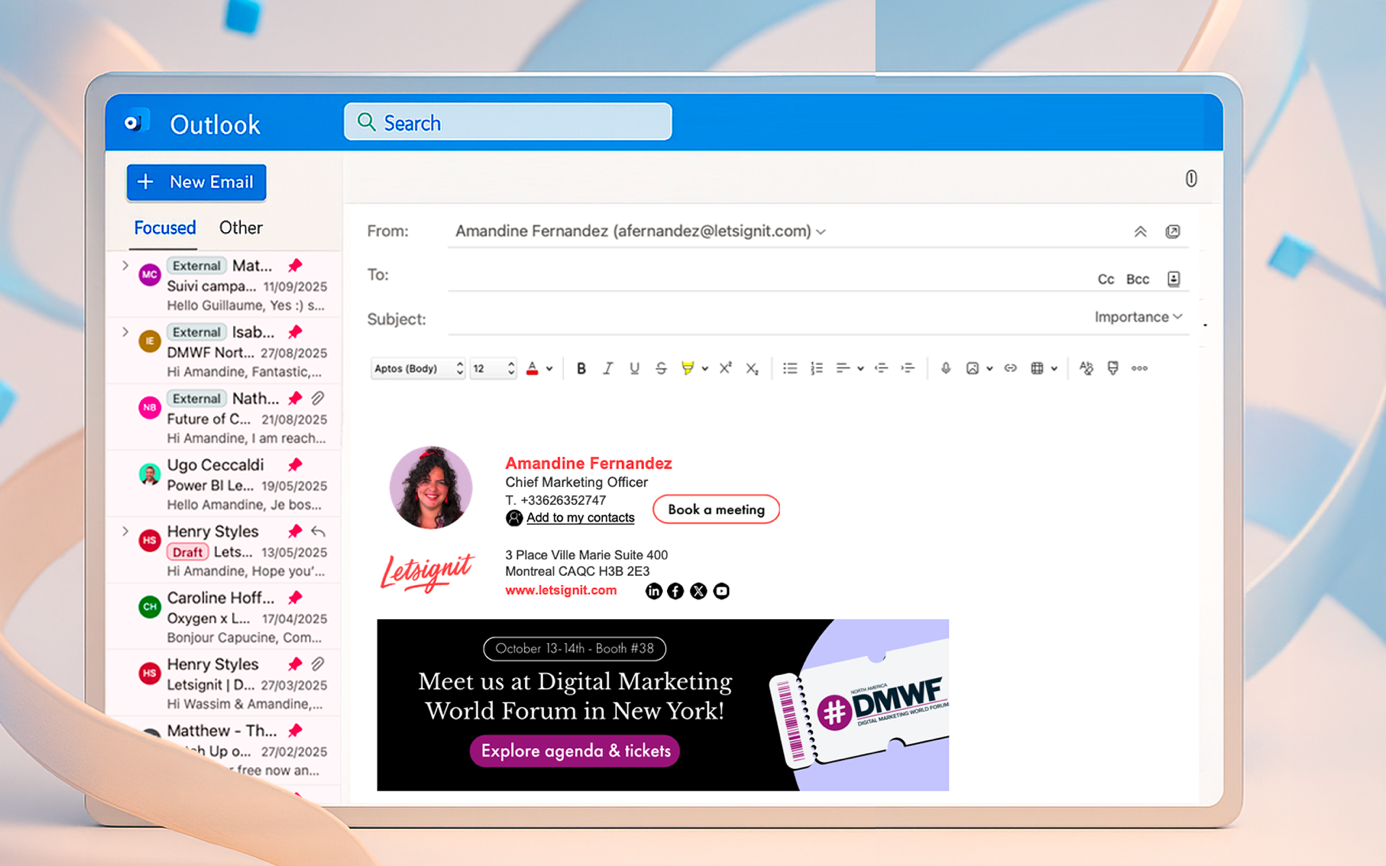
One of the most overlooked examples? The corporate email signature.
At first glance, it seems trivial: a line of contact details, maybe a disclaimer. But at scale, across hundreds or thousands of employees, that “trivial” layer becomes both an IT burden and a business risk. And, managed correctly, it can even become an asset.
The everyday headache IT never asked for
Most IT departments have Microsoft 365 or Google Workspace locked down with strict governance. Devices are enrolled, policies enforced, and compliance boxes ticked. But the email signature layer usually slips through the cracks, and that’s where problems start.
The pattern is the same in almost every organisation:
- Marketing sends a Word file or PDF with the “new company template”.
- Employees copy-paste it into Outlook or Gmail.
- Formatting breaks on mobile devices.
- Logos turn into attachments.
- Legal disclaimers vary from one department to another.
At first, these seem like small nuisances. But the pain multiplies at scale. Every time something changes: a company rebrand, a new office address, an updated job title, or even a refreshed campaign link, hundreds of employees are expected to update manually.
IT becomes the fallback support desk, fielding tickets like:
- “My signature doesn’t show on iPhone.”
- “The logo looks blurry.”
- “Can you fix my disclaimer text?”
Instead of focusing on strategic projects, IT teams spend hours firefighting formatting issues. And the cycle never really ends, because as soon as the next change arrives, it all starts over again.
According to Spiceworks Ziff Davis (2023), over 40% of IT admins report that low-value requests eat up significant time every week. Email signatures are a textbook example: a seemingly trivial detail that creates disproportionate noise.
The hidden cost of unmanaged signatures
Support tickets are just the surface. The deeper issue is scale, because email remains the number one communication channel for every business. It’s the system employees use every day to talk to customers, partners, suppliers, and prospects.
Do the math: in a company of 500 employees, each person sends roughly 40 external emails per day. That’s 20,000 emails daily, or about 400,000 impressions every month. Over a year, the total climbs past 4.5 million branded touchpoints. And every single one of them carries a signature.
When those signatures are unmanaged, the risks multiply quickly:
- Brand inconsistency: every message is a micro-interaction with the outside world. Outdated logos, mismatched fonts, or rogue taglines erode credibility.
- Compliance gaps: missing or outdated disclaimers expose companies to regulatory risk. From GDPR in Europe to HIPAA in healthcare, FINRA in financial services, or FTC disclosure requirements in the US. A single missing line can create liability.
- Shadow IT: employees frustrated with manual templates turn to free online generators or plug-ins, introducing blind spots into IT’s security posture.
- Lost opportunity: millions of impressions per year wasted because the footer is treated as static décor instead of a managed channel.
What looks like a “design issue” is actually an operating model issue. Without governance, the organisation’s most consistent communication channel remains unmanaged and underperforming.
The win-win of centralization
When signatures are managed like any other enterprise system, both sides gain:
- For IT: fewer tickets, compliance by default, no shadow tools.
- For Comms: consistent branding, campaign-level control, segmentation by role or region, and real reporting.

This is exactly what Letsignit delivers. Built with Microsoft technology, it syncs automatically with Azure Active Directory (Microsoft Entra ID), so job titles, addresses, and phone numbers are always up to date without employee action. Legal disclaimers are enforced globally across devices, while IT keeps security and governance intact. For employees, signatures integrate seamlessly no matter which device they use, and they can even select the version most appropriate for their contact, their language, or the campaign in play.
Trusted by 5,500+ organisations and 2.2 million users, Letsignit bridges IT governance with comms agility, turning email signatures into a low-maintenance, high-value asset.
Best practices IT leaders can adopt
Leading organisations now treat signatures with the same discipline they apply to identity management or endpoint security. The difference is not the technology, it’s the mindset.
Practical takeaways IT leaders can act on today:
- Automate updates: connect directly to Azure AD or Google Directory so every change in job title, phone number, or location flows automatically into the signature.
- Govern compliance: standardise disclaimers globally, enforce accessibility, and remove legal guesswork.
- Segment smartly: adapt banners by role, region, or campaign. Sales can showcase case studies, HR can highlight careers, customer success can promote surveys, internal comms can amplify DEI or training.
- Measure impact: track CTRs and campaign lift, report results alongside other owned and paid channels.

The bigger takeaway for IT leaders
Email signatures may look trivial, but they scale into millions of external impressions every year. Left unmanaged, they drain IT time and expose compliance gaps. Managed well, they become a silent, always-on channel that builds consistency, trust, and brand value.
For IT leaders, this is more than a formatting fix. It’s a chance to show that IT doesn’t just protect the business, it enables it.
In 2026, the IT leaders who stand out will be those who turn overlooked details into strategic assets. The humble email signature is one of them.

Amandine Fernandez has built her career at Letsignit, a leading B2B SaaS platform turning employee email into a strategic communication channel. Since joining the company over 7 years ago, she has played a key role in scaling it from an emerging star...




