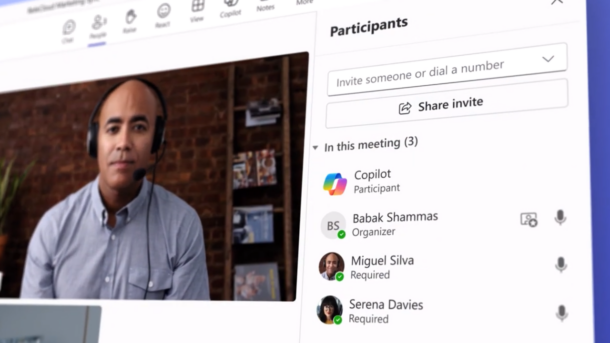
Microsoft Unifies Copilot Across Personal and Work Accounts in a Single App
Microsoft will roll out a new Copilot experience, app architecture, and URL over the coming months.
Key Takeaways:
- Microsoft is merging personal and work Copilot experiences into a single application.
- Existing security, compliance, governance, and administrative controls will remain unchanged.
- The rollout begins this month, with redesigned desktop apps arriving soon.
Microsoft is giving its Copilot AI assistant a major branding and user experience overhaul, bringing personal and work experiences together in a single Microsoft Copilot app. The update introduces a new name, icon, and web address while ensuring that existing security, compliance, privacy, and data protection controls for commercial customers remain unchanged.
Microsoft Copilot has evolved across multiple apps, account types, and entry points, which creates a fragmented experience that can be confusing for users who switch between personal and work accounts. The company is consolidating these experiences into a single Copilot app with clear account indicators, a unified brand, and a simplified user experience.
What’s new in the redesigned Microsoft Copilot app
This new Microsoft Copilot app brings together Copilot chat and image generation capabilities. It also provides access to Microsoft 365 apps as well as offers integration with email, calendars, cloud storage, and other connected content sources. This new app brings enhanced AI capabilities and higher usage limits for Microsoft 365 subscribers.
The Microsoft Copilot desktop apps for Windows and macOS will also move to a newer architecture designed to support future enhancements. Moreover, organizations will retain all existing security, compliance, governance, and administrative controls. Existing policies, application IDs, data protection measures, and network configurations will continue to work as expected.
“Like other Microsoft 365 apps, Copilot is moving to a single app experience across personal and work accounts. As part of this update, users will see clearer visual indicators in the app to help distinguish which account they are logged into, the app will adopt a simpler name and icon, and the web app URL will align more closely to Copilot. Security, compliance, privacy, and enterprise controls remain unchanged,” Microsoft explained.
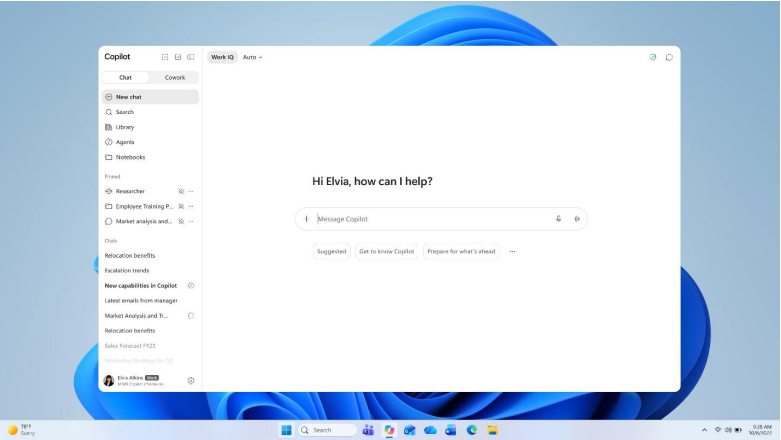
Copilot chats and files will migrate to the new experience
Microsoft highlighted that most chats, generated images, and other Copilot-created content will be automatically migrated to the updated experience. Files that users have uploaded to Copilot, along with files generated through Microsoft Copilot, will be stored in OneDrive. Microsoft also emphasized that privacy protections, compliance safeguards, and data separation between personal and work accounts will remain unchanged.
Microsoft will introduce the changes in phases over the next few months. Later this month, the rollout of the new Microsoft Copilot app begins for web and mobile users worldwide. Around the same time, the new copilot.cloud.microsoft web address will become available for testing in enterprise environments.
The transition continues in late August with the initial rollout of automatic URL redirects, followed by the general availability of the redesigned desktop apps in mid-September. Microsoft will expand the URL redirection process to organizations on the deferred release schedule by late September.
Microsoft recommends that organizations notify employees about the updated name, icon, and URL. Administrators must consider testing the new desktop experience through Microsoft’s early access program and update any Recall filtering policies that referenced the former Microsoft Copilot app.

Rabia has a master's degree in Software Engineering and she has years of experience writing professionally about Microsoft products and other technologies. Rabia has also written for OnMSFT.com as well as Windows Report. She is always up to date on t...