Maester: Turning Security Configuration into Code
In the cloud, most security incidents don’t happen because of hackers — they happen because of misconfiguration

What is Maester?
Maester is an open-source framework designed to help Microsoft 365 and Entra administrators continuously validate the security and configuration of their environments, before things break.
I spoke with Merill Fernando about how Maester came to be and how it is used today by thousands of enterprises to maintain effective security configurations across Microsoft apps and services.
When cleanups break security
It all started with a customer troubleshooting session.
“One of my customers had a Conditional Access policy to sign out guests after a day,” Merill recalled. “But someone had deleted the dynamic group that enforced it — almost a year earlier. So, they thought everything was secure, but in reality, that policy wasn’t doing anything.”
That incident highlighted a common issue: admins make configuration changes daily, often unaware of the unintended side effects. Over time, this leads to security drift where the environment no longer reflects the organization’s intent.
Here’s what the problem often looks like:
- Admins make frequent tenant changes
- Configuration drift happens
- Policies silently break (like the deleted group example)
- Maester continuously validates settings
- Issues are detected early → security maintained

From regression testing to configuration validation
Coming from a developer background, Merill drew inspiration from software testing.
“In development, we do regression testing: we write tests to make sure new code doesn’t break old functionality. Why not do the same for cloud configuration?”
Enter Pester, a PowerShell testing framework widely used for infrastructure automation. Maester extends this idea to Entra and Microsoft 365.
“I thought, why not write Pester tests for Microsoft Graph, PowerShell, and Entra settings so we can validate every change?”
Initially, Maester focused on Conditional Access policies, but it quickly evolved into a full-fledged validation suite for the Microsoft 365 ecosystem.
An open-source collaboration
Within a day of its public preview, contributors joined in.
“The day after I announced it, Mike — who’s now one of our core contributors — came in with tests based on CISA’s cybersecurity guidelines. You could run them in minutes and get a clean report.”
The community aspect became the heart of Maester’s growth. From 10 tests, it expanded to over 280, spanning Entra, Exchange, Defender, Intune, and more. Today, more than 75,000 tenants have used Maester, and 10,000+ run it daily as part of their security automation pipelines.
Built for everyone — not just DevOps
One of Maester’s biggest design goals is accessibility.
“We assumed no DevOps knowledge in our docs. Everything is written step-by-step, even if you’ve never touched PowerShell before.”
Users can run Maester in three simple commands, using even the built-in PowerShell on Windows. Within minutes, they get a full HTML report showing configuration issues and risks.
“The Pester console output was too technical. We built a beautiful HTML report — color-coded, well-formatted, and shareable. People love that.”

Reports can be automatically emailed, integrated into Teams or Slack, or even hosted on internal websites for daily visibility across IT teams.
Automation at scale
Maester supports a range of CI/CD and automation frameworks:
This flexibility means organizations can plug it directly into their existing pipelines.
“Many customers have daily runs set up. They get an email or Teams notification with their tenant’s health summary every single day.”
That automation makes Maester not just a tool but part of an operational feedback loop for configuration hygiene.
Write your own tests — no DevOps required
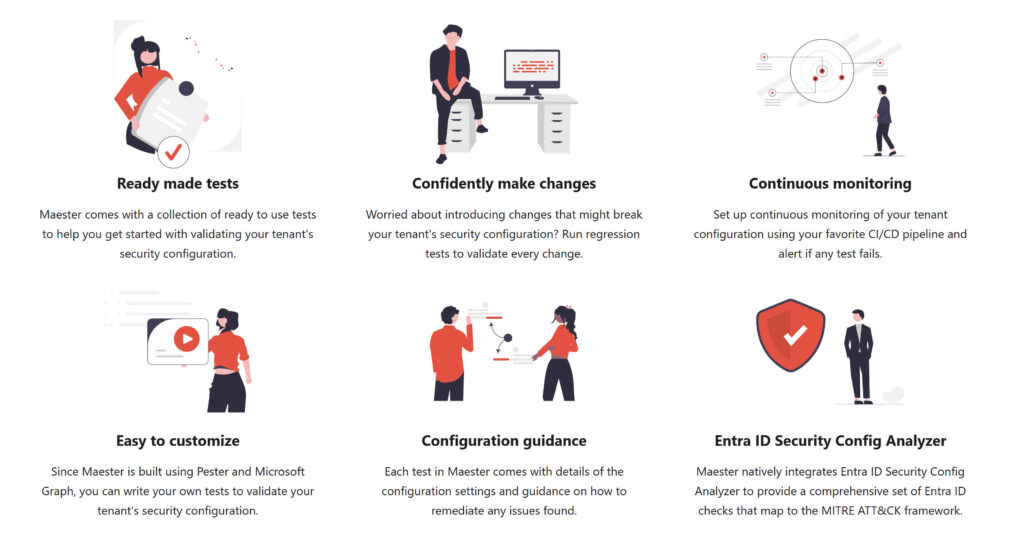
Beyond the pre-built tests, Maester excels in its extensibility.
“You can build your own tests as your tenant evolves. For example, you can write a test to verify the list of global admins, and alert you the moment someone new is added.”
This turns Maester into what Merill calls “security configuration as code.” Instead of relying on static documentation that quickly becomes outdated, organizations can codify their intent in automated tests that live and evolve with the environment.
“Docs get stale the moment they go live. But a test that runs every day stays relevant.”
And with the rise of tools like GitHub Copilot, writing custom tests is easier than ever.
“You can literally open Visual Studio (VS) Code, tell Copilot what you want to check, and it will generate a PowerShell test that fits right into Maester.”
More than Microsoft Entra
While it began with Entra, Maester now covers the broader Microsoft 365 surface area.
“We have more tests for Exchange and Defender now. For example, checking best practices for mail transport rules or Defender for Office configurations.”
The team has also integrated other open frameworks like Office 365 Recommended Configuration Analyzer (Ocra) and system security baselines, making Maester a unified orchestration layer for multiple testing frameworks.
Start small, grow steady
With over 200 tests available, Maester can feel like a lot. But the advice from Merill is simple:
“Start small. Pick five or ten tests that matter most: maybe your global admins, Conditional Access, or sharing settings. Then, every time you make a change, write a new test.”
Over time, this creates regression coverage for your tenant’s security posture just like automated tests in a software project.
The open-source advantage
Ultimately, Maester’s success stems from its open-source DNA.
“In closed-source tools, every organization ends up reinventing the same checks. With open source, people can learn, contribute, and share improvements.”
That community-driven approach has made Maester not just a security tool but a living, evolving ecosystem.
Conclusion: Codify your intent
Maester turns cloud configuration management from guesswork into code-driven certainty. It empowers admins to validate, document, and understand their environment — continuously.
As Merill puts it:
“You don’t need to boil the ocean. Just start testing what matters to you.
Over time, you’ll build the muscle for configuration testing and that’s how you stay secure.”
Learn how to get started with Maester at the documentation page.

Russell Smith, the Editorial Director at Petri IT Knowledgebase, has over two decades of hands-on experience in IT, in both small business settings and government IT infrastructure projects. Russell started writing for Windows IT Pro Magazine in t...




