IT Knowledgebase Articles

What Is an Access Control List (ACL)?
- Feb 19, 2024
-


An access control list (ACL) is a fundamental component of computer security. ACLs help to control and manage access permissions to organizational resources. In this article, I will explain in detail what an access control list is and how you can use them to secure access to local and networked resources. ACLs are an integral part…

Petri.com’s New Active Directory Outage and Disaster Recovery Survey
Last Update: Jul 29, 2025
- Feb 15, 2024
-
Russell Smith
 Russell Smith
 Petri.com was recently asked by Cayosoft to conduct a survey amongst our audience regarding Active Directory (AD) downtime and disaster recovery strategies. Petri.com’s extensive experience in the marketplace, coupled with our standing as a representative voice for IT Professionals, allows us to bring distinct insights into prevailing trends and their evolution over time. The survey,…

5 Reasons to Consolidate Active Directory Domains and Forests
Last Update: Jul 24, 2025
- Feb 14, 2024
-

A Windows Server Active Directory (AD) forest is the topmost logical container in an AD configuration. In this article, Michael Otey explains the role forests play in an AD configuration and why it is necessary to consolidate Active Directory forests and domains to improve security and management. Every Active Directory deployment contains at least one forest, the parent container in…
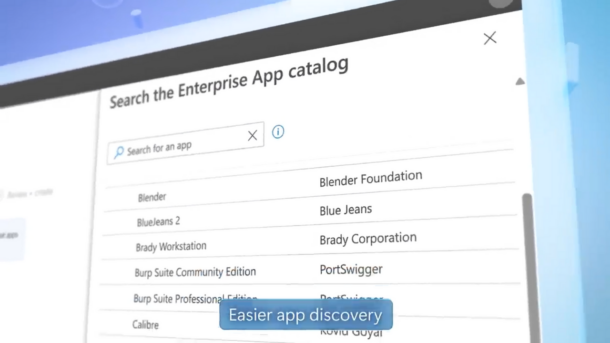
Streamline Application Deployment with Microsoft Intune Enterprise App Management
- Feb 13, 2024
-
Russell Smith
Packaging and rolling out third-party applications to Windows endpoints has traditionally been a daunting task. It often involves a significant amount of testing and trial and error, and it can become a major time sink for IT Professionals. Recognizing this challenge, Microsoft announced a solution at its Ignite conference – a service set to make…

What is Azure AD B2B?
Last Update: Dec 03, 2024
- Feb 12, 2024
-

Discover the benefits of using Azure AD B2B in your organization. Learn how it can improve collaboration and streamline access for external partners, and boost your users’ productivity, safely and securely. What is Azure B2B? Microsoft Entra B2B (formerly Azure AD B2B) is a feature/service within the Microsoft Entra ID that allows collaboration between your…

What is Azure AD B2C?
Last Update: Feb 12, 2024
- Feb 07, 2024
-
Azure Active Directory (Azure AD) B2C is a cloud-based customer identity and access management service that provides business-to-customer (B2C) Identity-as-a-Service. It allows organizations to secure and manage their customer-facing applications – so external parties can seamlessly sign up and log in. Learn more about the features and benefits of Azure AD B2C below. What is…

Microsoft and AI: What Is the Copilot Semantic Index and How Does It Work?
Last Update: Mar 21, 2024
- Feb 06, 2024
-
Russell Smith
Microsoft recently announced that it is taking a significant step forward by enhancing its search indexing capabilities with AI technology in the form of Copilot Semantic Index, which is part of Copilot for Microsoft 365. A semantic index uses vectorized indices to build a conceptual map of data by linking it together in meaningful ways,…

How to Minimize Your Active Directory Attack Surface
Last Update: Jul 24, 2025
- Feb 01, 2024
-
Russell Smith
When newly installed, Active Directory’s (AD) default configuration is designed to be easy to use. As a result, attackers can exploit AD to take over your entire network with relative ease. Here’s what you can do to further protect your organization by reducing your Active Directory attack surface. Securing beyond the default settings to reduce…

Top 10 Events to Audit in Active Directory to Uncover Security Risks
Last Update: Apr 14, 2026
- Jan 30, 2024
-
Audit your Active Directory environment to ensure the security of your company’s most valuable assets. Here are the top 10 events to audit in Active Directory to identify risks. Active Directory auditing involves more than tracking individual event IDs, it’s about understanding where privilege, persistence, and policy changes occur across the directory. This article focuses specifically on the most important…

What Is IAM? A Guide to Identity and Access Management
Last Update: Apr 08, 2024
- Jan 11, 2024
-
Identity and Access Management (IAM), is a crucial cybersecurity framework that governs and secures digital access to resources. It plays a pivotal role in helping organizations control and secure their digital resources such as apps, files, user identities, permissions, and all other organizational data. IAM also helps ensure the confidentiality and integrity of sensitive information….