Ignite 2026: Microsoft Makes Copilot the Center of the Office Experience
Microsoft is transforming Copilot from an AI assistant into the primary workspace for creating documents, analyzing data, and coordinating projects across Microsoft 365. For enterprises, the shift could reduce the time employees spend switching between applications, but it also places greater importance on governance, data access controls, and oversight of AI-generated content.
Key Takeaways:
- Microsoft is bringing Word, Excel, and PowerPoint experiences directly into the Copilot app.
- New features such as Today, Pages, and Workspaces aim to connect content, collaboration, and AI-assisted workflows.
- Organizations may need new governance, compliance, and AI oversight processes as Copilot becomes more deeply integrated into daily work.
Microsoft has just announced a major vision for the future of Office at Ignite 2026, which positions the platform as a “human-led, agentic system of work” rather than a collection of standalone productivity applications.
This announcement addresses a growing challenge for enterprises as employees increasingly jump between AI chat interfaces, documents, spreadsheets, presentations, meetings, and email threads, which causes context switching and fragmented workflows. Microsoft argues that traditional productivity tools are struggling to keep pace with these increasingly connected work patterns.
According to Microsoft, this fragmentation leads to lost productivity and slower decision-making. Employees often spend significant time moving information between apps, rebuilding context, locating files, and coordinating with colleagues across different systems. As organizations adopt AI assistants, the risk of creating another disconnected tool layer increases as well. Microsoft believes enterprises need AI that can follow work across applications and maintain context throughout the entire lifecycle of a project.
Office capabilities move into the Copilot experience
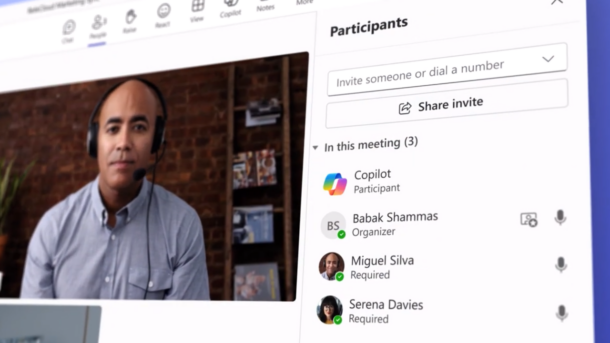
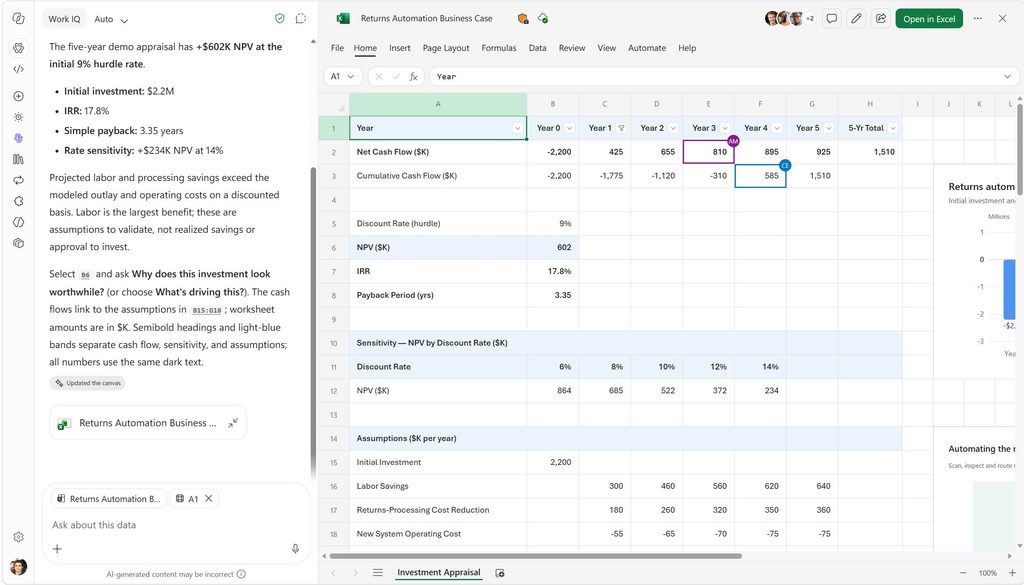
To address these challenges, Microsoft is bringing core Office capabilities directly into the Microsoft Copilot experience. Office in the Copilot app is now generally available, which allows users to generate and edit Word documents, Excel models, and PowerPoint presentations from a Copilot conversation while maintaining collaboration and coauthoring features. Microsoft is also introducing new experiences such as Today, Pages, and Workspaces, which use AI to surface priorities, generate dynamic content, and coordinate team collaboration.
Microsoft has also announced industry-specific capabilities such as Copilot for Sales, CRM-connected sales skills, and Copilot in OneNote, which can transform notes into draft documents, spreadsheets, and presentations. All content remains protected by existing OneDrive security and compliance controls.
However, the deeper integration of AI into daily workflows means that more organizations must trust Microsoft’s ecosystem and ensure proper governance of connected business data. Many of the new capabilities rely on integrations with external platforms such as HubSpot, Zendesk, DocuSign, Notion, Monday.com, and ZoomInfo, which potentially increases complexity around data management and permissions. Enterprises will also need to establish oversight processes to ensure employees validate AI-generated outputs rather than blindly accepting recommendations. Microsoft emphasizes that humans remain responsible for decisions, with AI designed to assist rather than replace workers.
Enterprises must balance Copilot adoption with governance
For enterprises, these updates indicate Microsoft’s broader strategy to make Copilot the central interface for knowledge work. Organizations already invested in Microsoft 365 could benefit from reduced context switching, faster content creation, improved collaboration, and greater reuse of institutional knowledge. Sales teams may see particular value through CRM-connected sales skills, while knowledge workers could gain productivity improvements from AI-generated drafts, summaries, and proactive task management.
Moreover, IT leaders will need to focus on governance, compliance, and change management. The shift from application-centric work to AI-assisted workflows may require new policies around data access, AI oversight, and employee training. Enterprises that successfully balance these governance requirements with productivity gains could benefit from a more integrated and proactive work environment, and those lacking strong controls may face increased operational and security risks.

Rabia has a master's degree in Software Engineering and she has years of experience writing professionally about Microsoft products and other technologies. Rabia has also written for OnMSFT.com as well as Windows Report. She is always up to date on t...