Microsoft Intune Expands Controls for Windows, Apple, and Cloud PCs
Microsoft is adding new Intune capabilities for Cloud PCs, Apple devices, compliance, and endpoint security. For organizations, the updates provide more control over device management while introducing new policy and governance considerations.

Key Takeaways:
- Microsoft has introduced new Intune capabilities for Windows 365 Cloud PCs, Apple devices, and compliance management.
- Endpoint Privilege Management and Windows Autopatch enhancements provide more granular administrative control.
- Organizations may need additional planning and policy governance to fully benefit from the expanded flexibility.
As organizations manage growing fleets of Windows, Apple, and cloud-based devices, IT teams often face a difficult balancing issue. Security teams need stricter controls and faster compliance enforcement, while end users expect flexibility and minimal disruption.
Traditional approaches frequently force administrators to choose between granting elevated privileges, delaying deployments, or accepting security blind spots. Microsoft explains that common tasks such as changing network settings, rolling out updates, or maintaining compliance can create operational friction and increase risk if not managed carefully.
Without tighter controls, organizations may end up granting local administrator rights that expand the attack surface, while inconsistent device configurations can make compliance harder to maintain. Delayed or poorly planned updates can also interrupt business operations, and slow compliance reevaluation can leave users locked out of corporate resources longer than necessary after resolving security issues. As cloud PCs and Apple devices become more common in enterprise environments, these challenges become increasingly difficult to manage at scale.
New Microsoft Intune capabilities simplify Cloud PC and Apple device management
Microsoft has introduced several new Intune capabilities designed to improve security and operational flexibility. These include a new security baseline for Windows 365 Agents Cloud PCs, broader availability of STIG baselines for compliance auditing, and enhanced Endpoint Privilege Management policies that allow users to make approved network configuration changes without receiving full administrator rights.
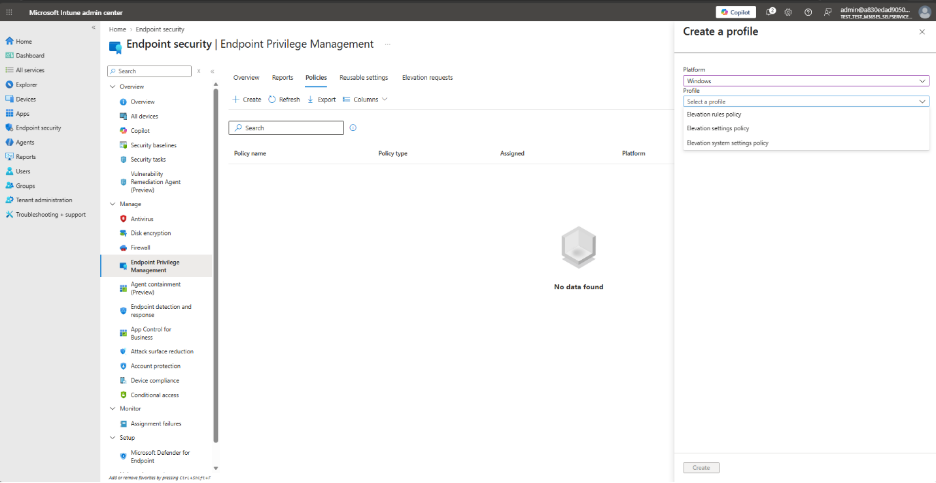
Microsoft also expanded Windows Autopatch controls, which allow administrators to independently manage security and non-security updates, schedule deployments around business priorities, and pause rollouts when required.
For Apple environments, Microsoft Intune now streamlines device enrollment, accelerates macOS policy delivery after first sign-in, adds more settings to the Settings Catalog, and improves support for declarative app deployment and device reporting. Microsoft also highlighted Intune’s Fast Lane capabilities, which enable supported Windows devices to trigger faster compliance reevaluation when critical security states change.
Greater control requires stronger policy governance
These enhancements give organizations more granular control over security, updates, and device management, but they also introduce additional policy choices and configuration options that administrators must govern carefully.
Microsoft mentioned that greater flexibility can improve productivity and reduce help desk workloads, yet it requires thoughtful planning to ensure that delegated permissions, update schedules, and compliance policies remain aligned with organizational security requirements. Organizations may need to invest additional time in policy design and testing to fully benefit from the expanded capabilities.

Rabia has a master's degree in Software Engineering and she has years of experience writing professionally about Microsoft products and other technologies. Rabia has also written for OnMSFT.com as well as Windows Report. She is always up to date on t...