How to Delete a Protected OU in Active Directory

As your organization’s logical layout changes, you may need to delete OUs in Active Directory (AD) from your domain controllers. In this post, we’ll show you two different ways to delete protected OUs (Organizational Units) and what minor roadblocks you may come across while doing so.
🎬 Watch This Week in IT.
Why you cannot delete protected OU in Active Directory
There are two main situations where the deletion of an organizational unit in just one step isn’t possible. When attempting to delete protected OUs, Active Directory might have certain safeguards in place.
Protection from accidental deletion is enabled
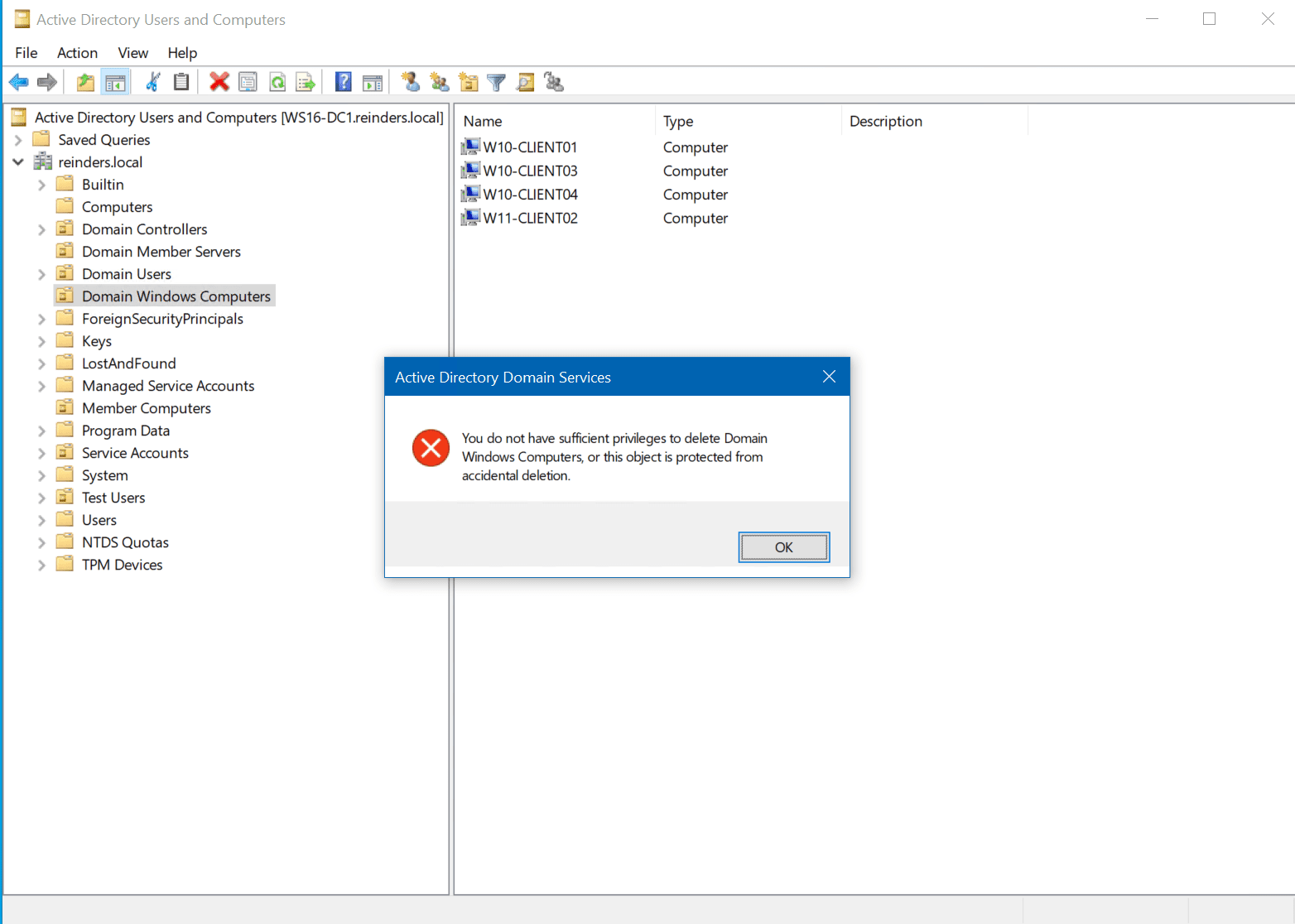
When you try to delete an OU in Active Directory Users and Computers (ADUC), you may run into the following error message telling you that you don’t have sufficient privileges to delete Domain Windows Computers, or that the object is protected from accidental deletion. I’ll explain how to circumvent this limitation later.
An OU is referred to as a ‘default’ OU
The second situation that may prevent you from deleting an OU/ is when you’re trying to delete is what’s referred to as a ‘default’ OU. These are OUs that were either installed as default when Active Directory Domain Services (AD DS) was installed and configured (Computers, Users), or were modified to carry the ‘default’ attribute post-installation.
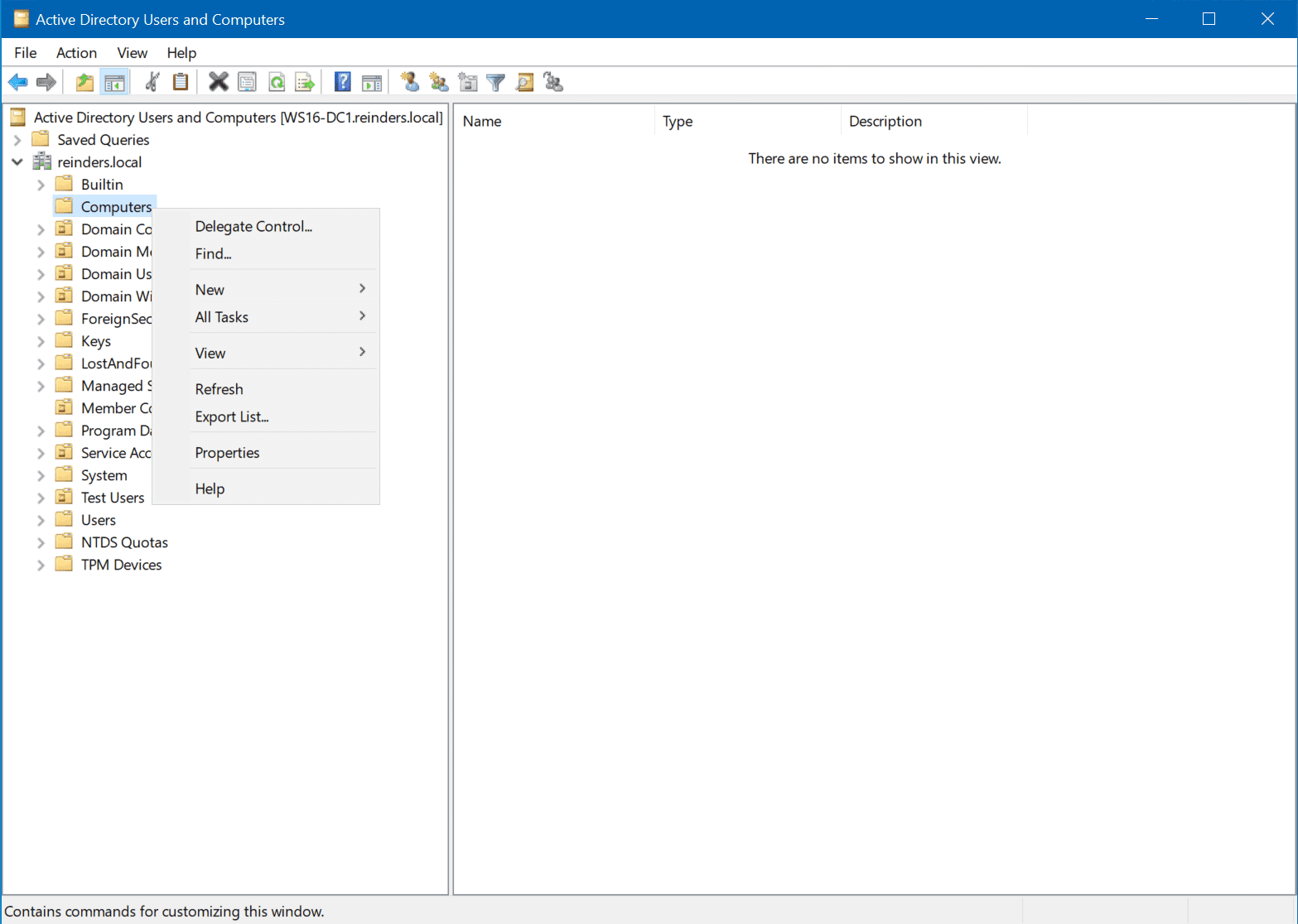
You should also make sure that you’re seeing ‘all’ the objects in your directory – Click View in ADUC and make sure Advanced Features is checked.
Delete a protected OU in Active Directory in 3 easy steps
The process to delete a protected OU in Active Directory is straightforward. Here are the steps you need to follow.
- Open Active Directory Users and Computers, right-click on the OU you wish to delete and click Properties.
- Click the Object tab and clear the ‘Protect object from accidental deletion,’ then click OK.
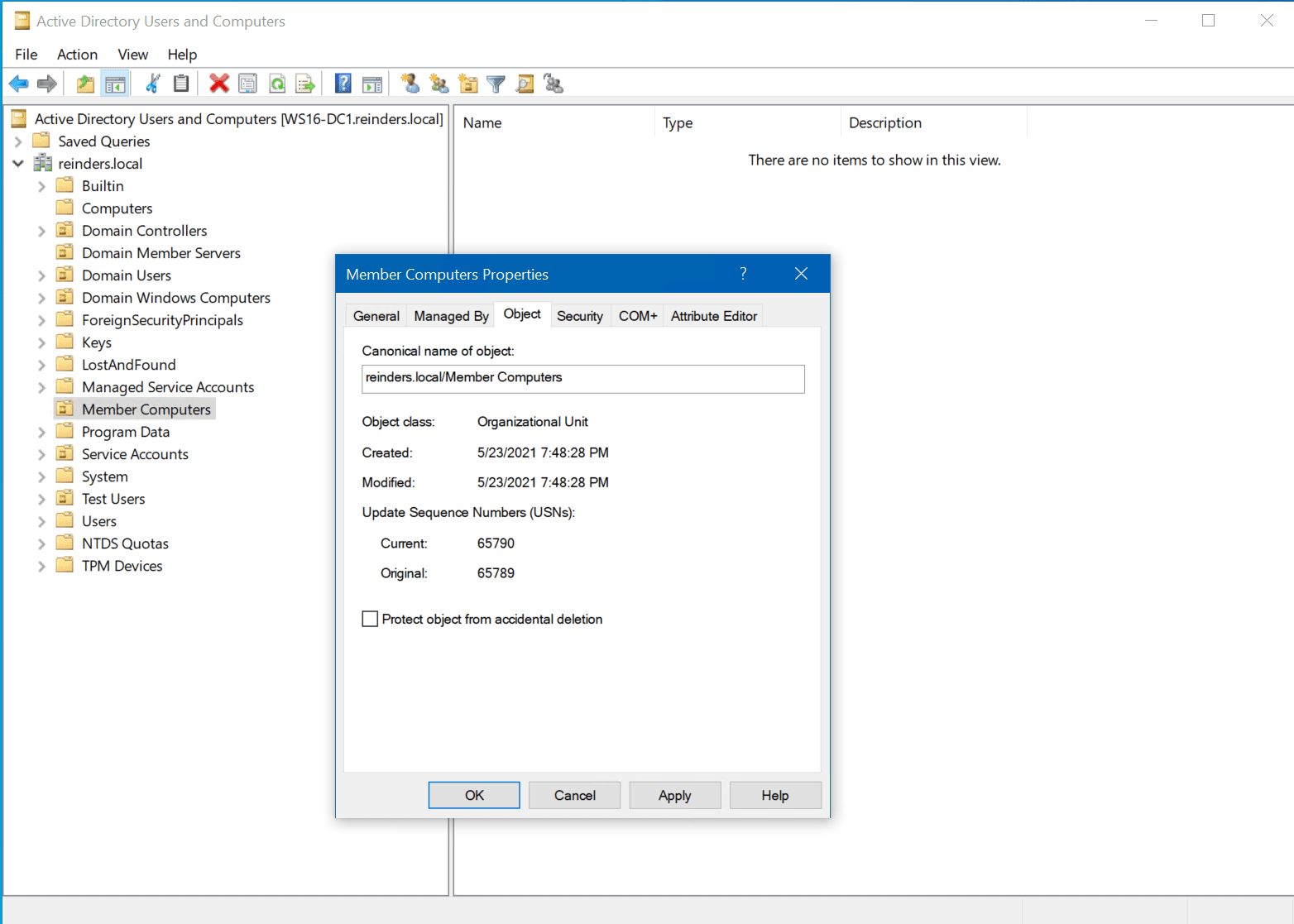
- Right-click on the OU, click Delete, and click Yes. Voila! The protected OU is no more.
Delete a protected OU in Active Directory using PowerShell
I’m always looking for ways to boost my efficiency as an IT Pro, especially with PowerShell. We previously covered how to move and delete Active Directory OUs with PowerShell on Petri, but let me show you how to use PowerShell to remove a protected OUs in one fell swoop.
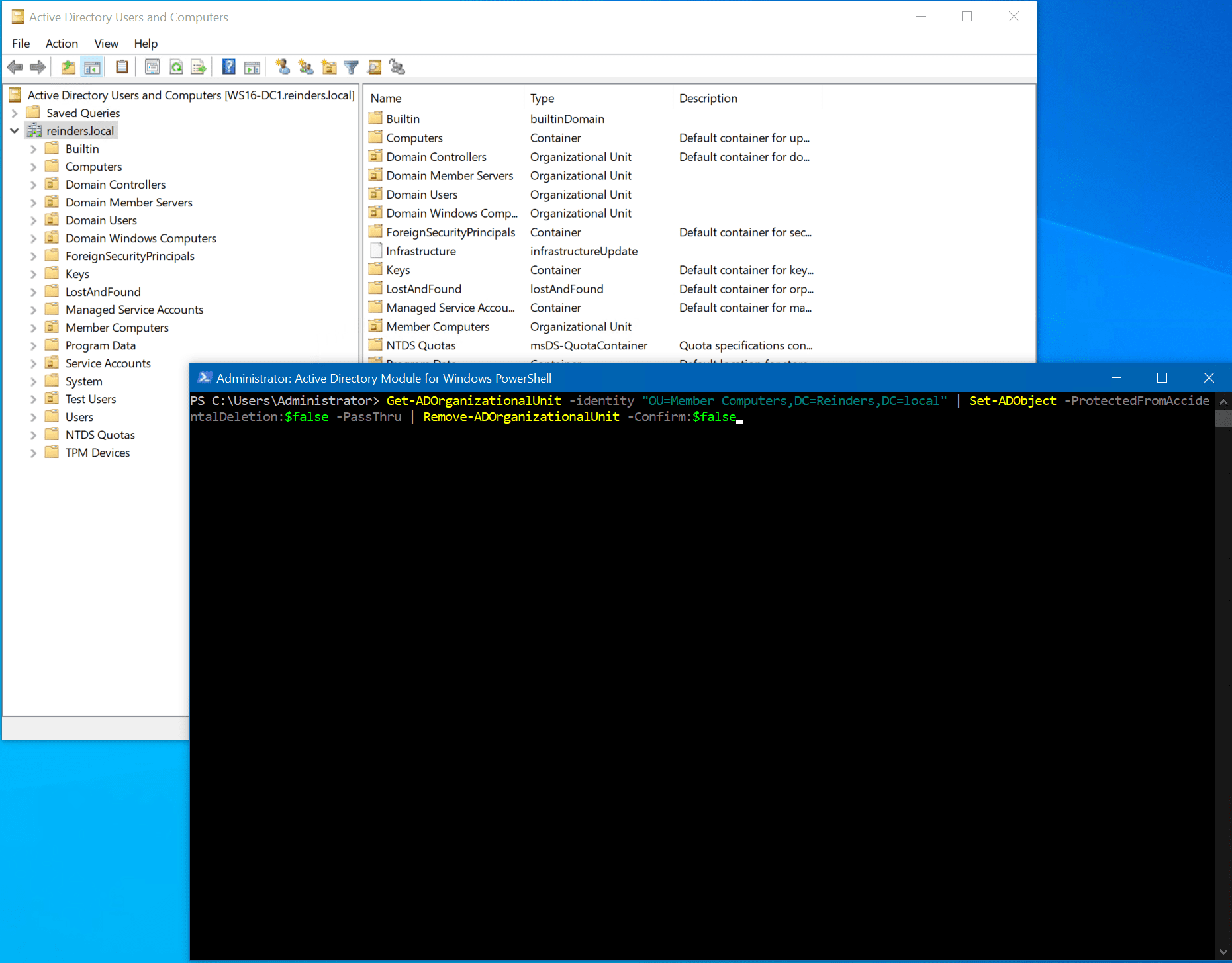
For this example, we’ll be removing our protected ‘Member Computers’ OU with three PowerShell commands:
- The first cmdlet we’ll use, Get-ADOrganizationlUnit, identifies the specific OU and holds it in memory, so to speak.
- The second cmdlet, Set-ADObject, removes the flag for ‘Protect object from accidental deletion.’
- The final cmdlet, Remove-ADOrganizationalUnit, deletes the OU and suppresses any confirmation prompts. Incidentally, the ‘-PassThru‘ switch tells the final cmdlet to reference the object already specified (our OU).
Get-ADOrganizationalUnit -identity "OU=Member Computers,DC=Reinders,DC=local" | Set-ADObject -ProtectedFromAccidentalDeletion:$false -PassThru | Remove-ADOrganizationalUnit -Confirm:$false
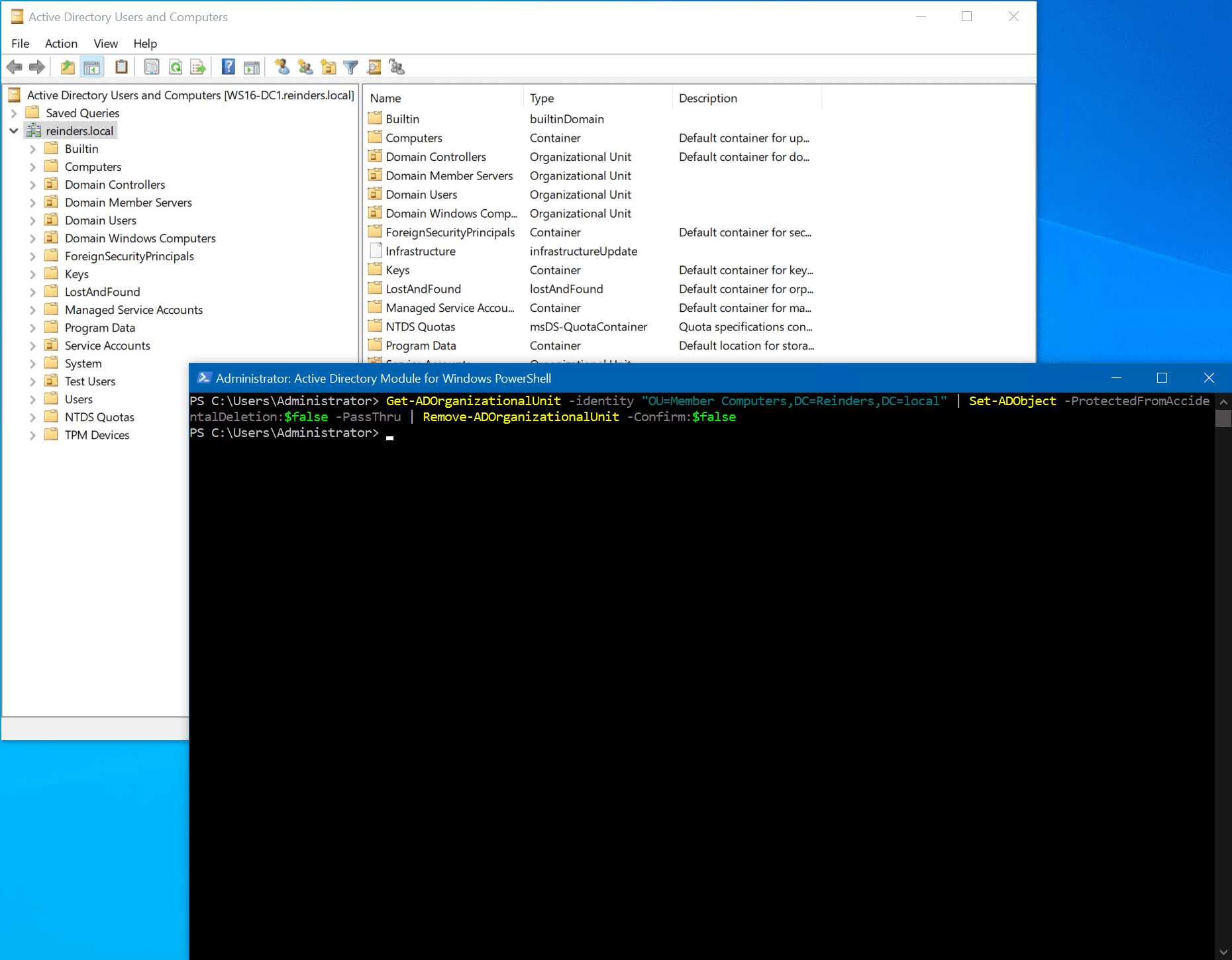
After the command is run and we’ve made a refresh in ADUC, the ‘Member Computers’ OU is history!
Summary
We’ve just explained a few scenarios many IT pros can run into on a daily basis when trying to delete protected OUs from Active Directory. We’ve described the two most prevalent reasons you may run into when trying to delete protected OUs, and we described two different methods you can use to get the job done.
Please let me know if you have any questions or comments by leaving one below. Thank you for reading!
FAQs
Can I delete protected OUs in a batch using scripts other than PowerShell?
Yes, you can delete protected OUs using VBScript, batch files, or custom scripts. However, to delete protected OU structures efficiently, it’s recommended to use ADSI Edit or third-party Active Directory management tools that support bulk operations.
What happens to group policies when I delete protected OUs in Active Directory?
When you delete protected OUs containing linked Group Policy Objects (GPOs), the GPO links are automatically removed, but the actual GPOs remain in the domain. It’s important to clean up associated GPOs manually to prevent orphaned policies.
Is it possible to recover a protected OU after deletion?
Yes, you can recover a deleted protected OU using Active Directory Recycle Bin if it’s enabled in your environment. If not enabled, you’ll need to perform an authoritative restore from a backup to recover the deleted protected OU and its contents.
What permissions are required to delete protected OU in Active Directory?
To delete protected OU, you need Domain Admin privileges or delegated permissions including “Delete All Child Objects” and “Delete” permissions on the OU itself. Additionally, you must have permissions to modify the “ProtectedFromAccidentalDeletion” attribute.
Can I delete a protected OU while maintaining its child objects in Active Directory?
Yes, you can move child objects to a different location before deleting the protected OU. Use the “Move” operation in ADUC or PowerShell commands to relocate users, computers, and groups before removing the protected OU structure.

Michael has been an IT Pro since 1998. He has worked predominantly in the Windows world including client and server operating systems, on-prem systems engineering (AD, DNS, etc.), and over the last ten years or so has embraced and immersed himself in...