What Is Mobile Device Management (MDM)?
In today’s hyper-connected world, mobile devices are no longer just accessories but essential tools.

In this blog post, you’ll learn how Mobile Device Management (MDM) can be used to manage and secure all types of mobile devices, including laptops and smart phones.
What is Mobile Device Management?
MDM is a strategic framework that governs how mobile devices interact with corporate resources. Keeping track of thousands of mobile devices, like laptops and phones, with dozens of attributes, takes a solid solution to be effective and efficient.
A look at the core functions and philosophy
At its heart, MDM is about:
- Visibility: Knowing what devices are connected.
- Control: Enforcing policies and configurations.
- Security: Protecting sensitive data. Separating personal data from organizational data is crucial.
- Support: Enabling remote troubleshooting.
MDM solutions aim to create a centralized command center for IT teams to manage mobile endpoints efficiently.
The “why” behind MDM: Key benefits for businesses
Let me break down the value proposition of MDM with a few metaphors and examples.
Fortifying your digital castle: Enhanced security
If you can think of your organization as a ‘digital’ castle, you can look at MDM as the moat, the drawbridge, and the guards that protect it from intruders and hackers. It enables you to:
- Remote wipe lost/stolen devices (you can limit the data wiped to company only, preserving the user’s personal information as an option)
- Threat detection and response
- Enforced encryption and password policies
Streamlining operations: Boosting efficiency and productivity
MDM automates routine tasks like app deployment and updates. IT teams can push configurations to hundreds of devices in minutes—saving time and reducing errors. This prevents additional burden on your Help Desk – keeping device configs streamlined, you don’t have to determine if a device is on the latest mobile OS, for instance. You’ll have that information at your fingertips.
Ensuring compliance: Navigating the regulatory landscape
Whether it’s HIPAA, GDPR, or FINRA, MDM helps ensure that mobile usage aligns with legal requirements. Audits, access control lists, and policy enforcement are built in.
Cost savings: It’s not just about spending, but saving too
By reducing manual labor, minimizing security breaches, and optimizing device usage, MDM delivers upfront ROI. One study found that MDM can reduce IT support costs by up to 30%.
How does MDM actually work? A peek under the hood
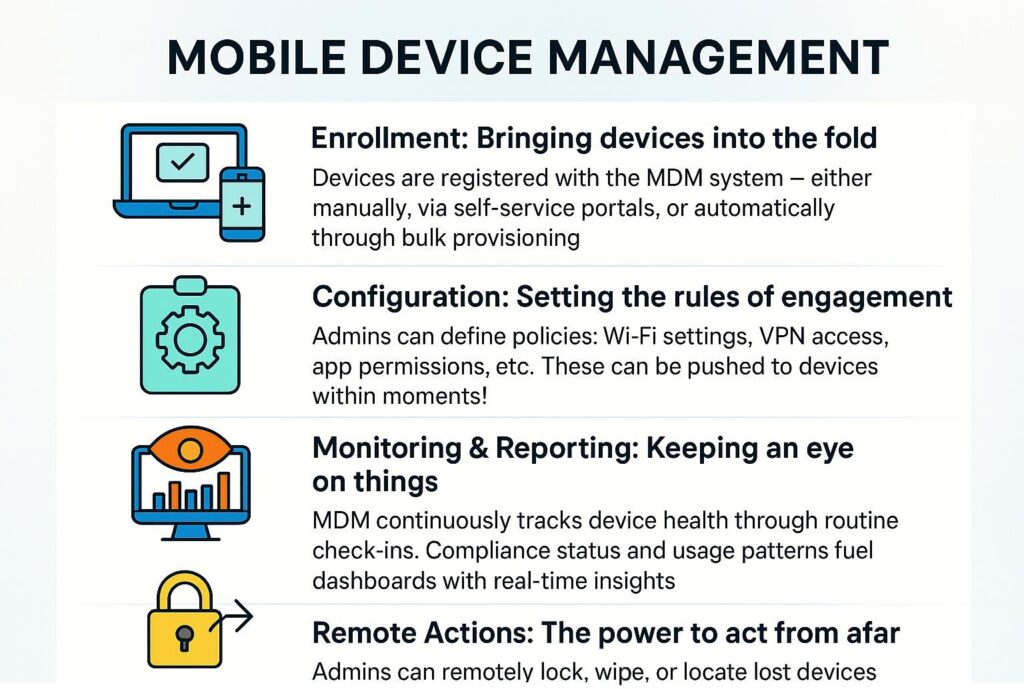
Let’s demystify the mechanics of MDM with a simple flow:
Enrollment: Bringing devices into the fold
Devices are registered with the MDM system – either manually, via self-service portals, or automatically through bulk provisioning.
Configuration: Setting the rules of engagement
Admins can define policies: Wi-Fi settings, VPN access, app permissions, etc. These can be pushed to devices within moments!
Monitoring & Reporting: Keeping an eye on things
MDM continuously tracks device health through routine check-ins. Compliance status and usage patterns fuel dashboards with real-time insights.
Remote Actions: The power to act from afar
Do you need to lock a device? Wipe all company data from a device? MDM lets you do it all without having to touch the device.
Key features to look for in an MDM solution
Modern Mobile Device Management (MDM) platforms have evolved far beyond simple device tracking. They now deliver centralized control over endpoints, apps, and security policies across diverse operating systems — from Windows and macOS to iOS and Android.
When evaluating an MDM solution, look for capabilities that not only streamline device administration but also strengthen compliance, security, and user productivity.
Device enrollment and provisioning
Device enrollment is the foundation and ‘first step’ of MDM. A strong solution should simplify how new devices are added and configured, whether they are corporate-owned or part of a BYOD program.
What to look for:
- Multiple enrollment options: Support for automated enrollment via Apple Business Manager, Android Enterprise, or Windows Autopilot, as well as manual or bulk enrollment for legacy systems.
- Zero-touch provisioning: Allows IT to preconfigure devices before they even reach the user, ensuring consistent setup and quick deployment.
- Role-based configuration: Automatically apply policies, apps, and restrictions based on user roles, departments, or device types.
- Self-service enrollment portals: Empower users to securely onboard their own devices while maintaining compliance.
Application management
A solid MDM solution needs comprehensive control over the applications that users can install, access, and use on a managed device.
Here are some key highlights.
- Centralized app deployment: Push required apps, updates, and patches directly from the admin console.
- App Store and custom app integration: Distribute apps from the Apple App Store, Google Play, Microsoft Store, or internal enterprise catalogs.
- App blacklisting/whitelisting: Enforce compliance by restricting unauthorized or risky applications.
- Per-app VPN and data policies: Secure corporate data within apps without restricting personal use on BYOD devices.
- Version management: Automatically update or rollback applications to maintain compatibility and security.
Security management
Security is one of the most critical components of any MDM strategy. The platform should provide layered defenses and continuous monitoring to protect both data and devices.
Content management
Beyond apps and settings, MDM solutions should help distribute and secure business-critical content such as documents, media, and configuration files.
Remote control and troubleshooting
A key advantage of MDM is the ability to remotely assist users and maintain devices without needing physical access.
Reporting and analytics
Visibility drives better management decisions. A powerful MDM platform should offer robust analytics to help IT teams monitor compliance, usage, and trends.
- Comprehensive dashboards: View device inventory, compliance rates, and user activity at a glance.
- Custom reports: Build reports for audits, patch status, and device health.
- Alerting and notifications: Receive automated alerts for compliance violations or security risks.
- Integration with BI tools: Export data to Power BI or other analytics platforms for advanced visualization.
- Historical trend analysis: Track enrollment growth, OS distribution, and policy effectiveness over time.
Examples of MDM software for enterprises
Here’s a nice visual comparison of leading MDM solutions available for enterprises.
Popular MDM Solutions
| Platform | Best For | Notable Feature |
| Microsoft Intune | Microsoft 365 environments | Deep Office integration |
| VMware Workspace ONE | Cross-platform management | Unified endoint control |
| Jamf Pro | Apple-centric organizations | macOS/iOS specialization |
| IBM MaaS360 | Large enterprises | AI-powered insights |
Who needs MDM? Industries and businesses that benefit most
Specific industries and vertical pillars benefit the most from MDM. Let me walk through some of the most prominent ones.
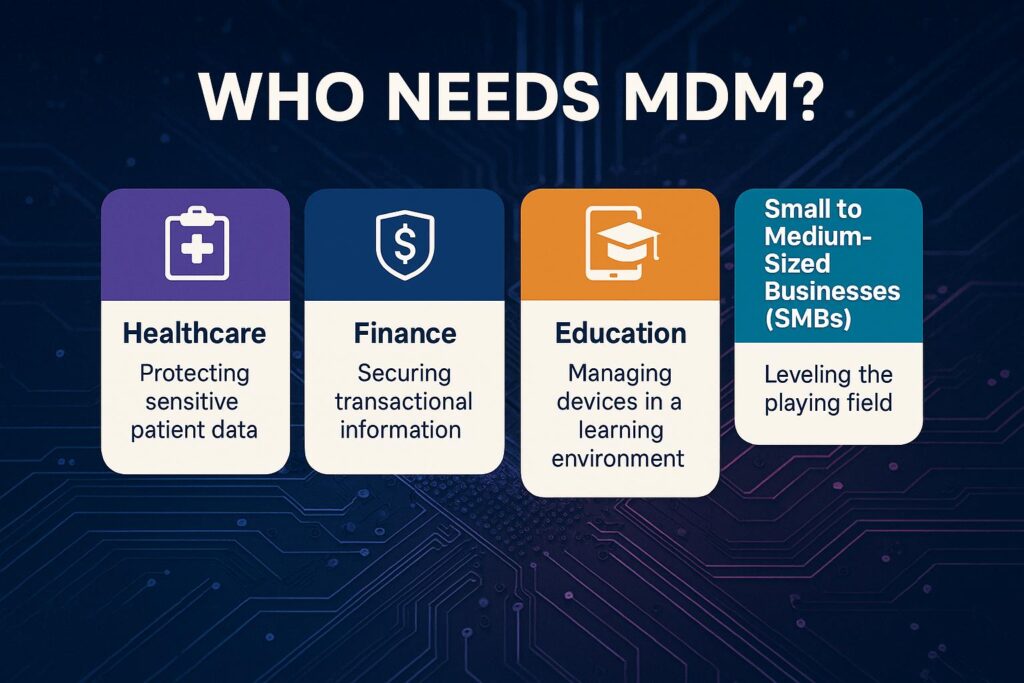
Healthcare: Protecting sensitive patient data
Protecting patient data is paramount, of course. Additionally, ensuring HIPAA compliance is a top priority for IT leaders in the healthcare industry.
Finance: Securing transactional information
In the Finance industry, securing mobile banking apps is vital. Preventing data leaks from said mobile apps and online finance websites is crucial in this space. We’ve all seen the stories over the past few decades of how financial companies ran into a security breach and had their systems shut down for a temporary time.
Education: Managing devices in a learning environment
Managing student tablets and restricting non-educational apps is important in the education space, especially in higher learning institutions like universities and medical colleges. I remember how many different teams and committees had to approve an individual mobile app for medical students when I was in the IT department at a medical college.
Small to medium-sized businesses (SMBs): Leveling the playing field
For SMBs, gaining enterprise-grade control and scaling without complexity are bare minimums to justify an enterprise-grade MDM solution.
Implementing MDM: A practical Roadmap
Deploying a Mobile Device Management (MDM) solution is more than just rolling out a new tool; it’s about establishing a sustainable framework for securing and managing endpoints across your organization. A successful MDM implementation gracefully aligns technology with your business goals, user experience, and security & compliance requirements.

Step 1: Define your goals and requirements
Every effective MDM project begins with a clear understanding of why you’re implementing it. Before comparing vendors or provisioning devices, take time to document your objectives and priorities.
Key considerations:
- What problems are you trying to solve? (e.g., device sprawl, inconsistent policies, data leakage risks)
- Which platforms do you need to manage? (Windows, macOS, iOS, Android, or all of the above)
- What compliance or regulatory requirements apply? (e.g., HIPAA, GDPR, ISO 27001)
- Who are your users? (corporate employees, contractors, field workers, frontline workers, executives, etc.)
- What balance of security vs. user flexibility do you want to maintain?
Establishing these requirements early ensures your MDM solution and configuration strategy align with your organization’s broader IT and security goals.
Step 2: Choose the right MDM solution
Once your requirements are clear, evaluate MDM platforms that best fit your organization’s size, culture, and IT management style.
- Platform compatibility – Confirm support for all operating systems and device types in your environment.
- Integration capabilities – Look for seamless interoperability with existing tools like Active Directory, Azure AD, Microsoft Intune, SCCM, or third-party identity providers.
- Scalability and cloud readiness – Choose between on-premises, cloud-based, or hybrid options based on your infrastructure strategy.
- Licensing and cost model – Understand how per-device or per-user licensing aligns with your projected growth.
- Security and compliance features – Verify encryption, conditional access, reporting, and data loss prevention capabilities.
Pro tip: Test-drive your top candidates in a pilot group before committing to a full rollout.
Step 3: Plan your deployment strategy
A thorough deployment plan minimizes disruption and ensures consistent device configuration across the organization.
Best practices include:
- Start with a pilot phase: Deploy MDM to a small set of users and devices to validate enrollment processes and policies.
- Define device ownership models: Determine whether devices will be corporate-owned, BYOD, or a mix.
- Segment by roles or departments: Apply group-specific policies to maintain control while allowing flexibility.
- Establish a change management process: Define how updates, policies, and configurations will be reviewed and approved.
Step 4: Enroll devices and configure policies
Next, you’ll want to roll out enrollment and establish device governance through policy configuration.
Key actions:
- Automate enrollment where possible: Use tools like Apple Business Manager, Android Zero-Touch Enrollment, or Windows Autopilot to streamline onboarding.
- Set baseline security policies: Enforce encryption, password complexity, and device compliance checks.
- Deploy required apps and configurations: Push corporate applications, Wi-Fi profiles, VPN settings, and certificates directly to managed devices.
- Enable conditional access: Restrict access to corporate resources from unmanaged or noncompliant devices using Device Platforms.
Step 5: Train your users and IT staff
No MDM rollout will succeed without user understanding and IT readiness. Communication and training are essential to ensure smooth adoption.
For end users:
- Explain what MDM does and what it doesn’t do to address privacy concerns.
- Provide clear instructions for enrollment and device use.
- Offer self-service resources for common tasks like password resets or compliance remediation.
For IT administrators:
- Conduct in-depth training on policy creation, reporting, and troubleshooting.
- Establish support escalation paths and documentation.
- Encourage continuous learning to stay current with evolving MDM features.
Step 6: Monitor, review, and adapt
MDM implementation isn’t a “set it and forget it” project. Continuous monitoring and improvement ensure that your policies and tools remain effective as technology and business needs evolve.
Ongoing tasks:
- Review compliance reports: Identify noncompliant or unresponsive devices and address issues promptly.
- Analyze trends and metrics: Use built-in dashboards or integrate with tools like Power BI for visibility into device health and adoption.
- Refine security policies: Update settings as new threats or compliance mandates emerge.
- Gather feedback: Regularly collect input from users and IT staff to fine-tune configurations.
- Stay updated: Keep your MDM solution and connected systems current with patches and feature updates.
Beyond MDM: Understanding the Broader Ecosystem of Mobile Security
MDM is in the phase of evolving into a broader mobile security ecosystem as device diversity grows. Let me touch on these relatively new acronyms to help you understand the future.
Enterprise Mobility Management (EMM)
Enterprise Mobility Management involves devices, apps, and content.
Unified Endpoint Management (UEM)
UEM includes mobile, desktop, and IoT (Internet of Things).
Mobile Application Management (MAM)
Mobile Application Management includes app-level control with no device required.
The Future of Mobile Device Management: What’s Next?
So what do we see in the crystal ball for the future of MDM? Here are some quick overviews of exciting new features rolling out inside current and future MDM software solutions.
AI and machine learning integrations
AI & machine learning integrations include predictive threat detection and ‘smart’ policy recommendations.
Enhanced zero-trust security models
With enhanced zero-trust security models, every device must prove trustworthiness…always.
The blurring lines of personal and professional devices
This describes the smarter separation of personal and work data and keeping each siloed perfectly on a given device.
Is MDM Right For Your Business?
If your team uses mobile devices to access business data, the answer is a resounding yes. Because of the pervasiveness of personal smartphones and tablets now in enterprises, IT leadership must get on the bandwagon and start roughing out their plan for a new or improved MDM solution.
The Era of Mobile – And the Management Challenge It Poses
The explosion of mobile in the workplace
From smartphones to tablets, mobile devices have infiltrated every corner of the modern workplace. According to recent studies, over 80% of employees use personal mobile devices for work-related tasks. This surge has unlocked new levels of productivity—but also introduced a host of security and management challenges.
The balancing act: productivity vs. security
Organizations face a dilemma: how to empower employees with mobile flexibility without compromising data integrity. It can be a delicate line between accessibility and control, and MDM serves as the safety net.
Frequently asked questions
What is Mobile Device Management?
Mobile Device Management is a set of software tools, policies and procedures that allow an organization to remotely monitor, manage, configure and secure mobile devices, such as smartphones, tablets, laptops (and in some cases IoT devices), that access corporate data or resources.
It enables IT teams to enforce security policies, push applications, wipe data from lost devices, maintain inventory of devices, and ensure compliance across the fleet.
Why is Mobile Device Management important?
MDM is important because mobile devices have become ubiquitous in business contexts, yet they introduce new risks: lost/stolen devices, unauthorized access, inconsistent patching, and data leakage.
By implementing MDM, organizations gain centralised control and visibility over devices, which helps protect sensitive corporate data, ensure regulatory compliance, and maintain productivity for remote or hybrid workers.
How does Mobile Device Management work?
MDM typically involves two main components: a central management console (on-premises or cloud) and an agent (or built-in management service) on the device. The device is enrolled into the MDM system, after which the administrator can push configuration profiles, restrict device features, install/remove apps, enforce policies (e.g., strong passcodes, encryption), monitor compliance, and remotely lock or wipe the device if required.
What are the benefits of Mobile Device Management?
Some key benefits of using MDM include:
- Enhanced security: enforcing encryption, passcode policies, remote wipe, etc.
- Improved productivity and flexibility: enabling users to access corporate resources securely from various devices and locations while IT keeps control.
- Cost and operational efficiencies: centralising device management reduces manual support work, simplifies enrolment, and supports BYOD (bring your own device) strategies.

Michael has been an IT Pro since 1998. He has worked predominantly in the Windows world including client and server operating systems, on-prem systems engineering (AD, DNS, etc.), and over the last ten years or so has embraced and immersed himself in...