Ignite 2025: Microsoft Edge for Business Gets New Copilot Mode and Security Features
Microsoft Edge for Business gains AI-powered productivity, smarter browsing, and enhanced security features.

Key Takeaways:
- Copilot Mode boosts productivity with agentic workflows, a smarter New Tab Page.
- New AI features enhance browsing with multi-tab reasoning, natural-language history search, and YouTube video summaries.
- Stronger security controls arrive with watermarking, protected clipboard, and more.
Microsoft has detailed a couple of new features for its Edge for Business browser at its Ignite 2025 conference this morning. The first one is the new Copilot Mode, which is currently available in private preview for commercial customers.
“With the addition of Copilot Mode, Edge for Business now delivers agentic, proactive and contextual intelligence, helping users streamline workflows, stay on task and connect the dots across data silos while ensuring that unique work context is integrated. Edge for Business aligns with Microsoft’s commitment to security, controls and enterprise data protection,” Microsoft explained.
Once enabled, this new Copilot Mode includes three features that require a Microsoft 365 Copilot license. The Agent Mode automates multi-step workflows on IT-approved sites, with transparency and prompts for user oversight. Moreover, the new Copilot-inspired New Tab Page Integrates search and chat, provides quick access to files, and personalized prompts. The Daily Briefing feature leverages Microsoft Graph and browsing history to summarize meetings, tasks, and priorities.

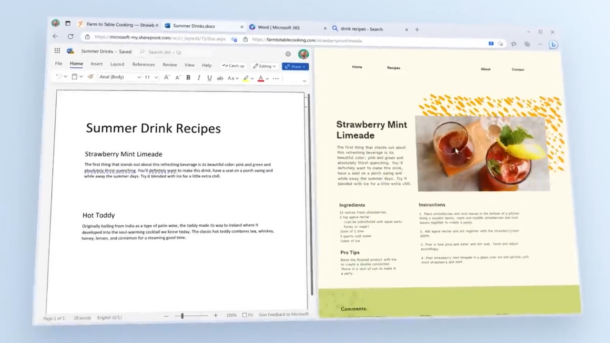
In addition to Copilot Mode, Microsoft has released some other new AI features in private preview for Edge for Business. With multi-tab reasoning support, Microsoft Edge for Business can answer questions using content from all open tabs, and it works across web and organizational content.
The new intelligent browser history feature allows users to retrieve past pages through natural language commands. The new YouTube summarization capability enables users to get quick summaries and ask questions about video content.
Microsoft emphasized that Agent Mode respects data protection policies, avoids sensitive info like passwords, and requires explicit user permission for sensitive actions. These new AI features are currently available in preview, with general availability expected in February 2026.
Watermarking and clipboard controls
Microsoft Edge for Business is also adding watermarking and clipboard controls in preview to strengthen data protection without disrupting productivity. Watermarking adds a persistent visual overlay on sensitive files and websites, based on sensitivity labels or data loss prevention (DLP) policies. This security feature reminds users to think twice before sharing confidential content. Admins can enable this watermarking control through the Edge management service.
The new protected clipboard feature allows users to receive clear warnings when attempting to paste outside the trusted boundaries across managed web apps. These capabilities will be available in preview for Edge for Business customers later this month.
Secure access for contractor-managed devices
Microsoft Edge for Business is rolling out a feature that allows secure access to organizational resources on contractor-managed devices by extending Intune Mobile Application Management (MAM) protections beyond BYOD setups. Starting in January 2026, admins will be able to configure a MAM profile on externally managed devices. This will create a controlled browser environment where downloaded files are directed to OneDrive for Business instead of local storage to reduce data leakage risks. Additionally, admins can enforce copy/paste restrictions to protect sensitive data within the organization.
Browser management capabilities
Later this month, Microsoft Edge for Business is getting two updates to make browser management easier for IT teams. The first update brings cross-platform security policies, which allow admins to manage Edge settings for macOS, iOS, and Android directly from the Microsoft 365 admin center.
The Enterprise Preview feature streamlines testing of pre-release Edge builds. Instead of installing separate apps, Beta builds will be delivered inside the Stable Edge app. This change will allow IT admins to control who receives previews and whether users can roll back to the Stable channel at any time.

Rabia has a master's degree in Software Engineering and she has years of experience writing professionally about Microsoft products and other technologies. Rabia has also written for OnMSFT.com as well as Windows Report. She is always up to date on t...