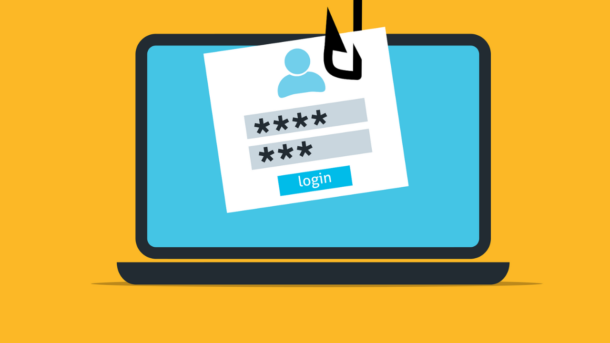
Attackers are Exploiting Microsoft Teams External Chats to Gain Initial Access
What begins as a seemingly legitimate Microsoft Teams support message can escalate into malware deployment or credential theft in minutes.

Key Takeaways:
- Researchers observed more than 400 attacks that used Microsoft Teams external chats as an initial access vector.
- Attackers impersonated IT support staff to convince employees to grant remote access or execute malicious actions.
- Organizations should review Teams external access settings, strengthen monitoring, and train users to verify unsolicited support requests.
Cybersecurity researchers have observed more than 400 incidents in which threat actors abused the external chat feature in Microsoft Teams to gain initial access to corporate environments. Rather than exploiting a software flaw, attackers took advantage of Teams’ default external-access capabilities and employees’ trust in familiar collaboration tools.
According to researchers at Arctic Wolf, the attackers created fake IT support identities, often using newly created Microsoft 365 tenants and convincing display names such as “IT Support (Internal),” to appear legitimate. Once contact was established, attackers used social engineering techniques to persuade employees to accept remote-access sessions, execute commands, or download malicious files.
Many campaigns moved from the first Microsoft Teams message to payload execution in less than 15 minutes. In some cases, attackers combined Teams chats with email-bombing campaigns and voice phishing calls to increase urgency and lower suspicion. Successful compromises could lead to malware deployment, unauthorized remote access, credential theft, and broader network intrusion.
Organizations should review Microsoft Teams external access
Organizations should start by reviewing how Microsoft Teams external access is configured and whether all users genuinely need to communicate with external accounts. Many enterprises enable federation broadly to support collaboration with customers, contractors, and partners, but this convenience can also give attackers a direct line to employees. Security teams should consider restricting external chat to approved domains, high-risk departments, or specific user groups. Where external access remains necessary, organizations should implement monitoring that alerts IT admins whenever new conversations are initiated by unknown external tenants.
Employee awareness is equally important because these attacks rely on trust rather than technical exploits. Employees should be trained to treat unsolicited support messages in Microsoft Teams with the same caution they would apply to suspicious emails. Any request involving password resets, remote-control sessions, software installation, or command execution should be independently verified through established IT support channels. Organizations can strengthen this process by publishing clear help desk procedures so employees know how legitimate support agents will contact them and what actions they will never request.
Lastly, security teams should focus on detecting suspicious behavior as soon as possible. They should monitor newly created external chats, unexpected remote-access tool usage, and unusual support-related conversations to identify an attack before malware is deployed or credentials are compromised. Organizations should combine user training with proactive monitoring to create multiple opportunities to stop an intrusion at its earliest stages, which reduces the likelihood that a simple chat message evolves into a broader security incident.
It’s highly recommended to disable or heavily restrict external Microsoft Teams communication to reduce the attack surface, but it may also hinder collaboration with customers, partners, vendors, and contractors. Enterprises must balance security against productivity, deciding whether the convenience of open external communication outweighs the growing risk of social-engineering attacks conducted through trusted business platforms.

Rabia has a master's degree in Software Engineering and she has years of experience writing professionally about Microsoft products and other technologies. Rabia has also written for OnMSFT.com as well as Windows Report. She is always up to date on t...